
Best AI Image Generators in 2026: 12 Top Models You Can Try in One Place
2026-07-26 03:54
Updated July 2026. In 2026, the best AI image generators aren't really separate apps — they're separate models. Google's Nano Banana, OpenAI's GPT Image, Midjourney, ByteDance's Seedream, and a handful of others are the models worth using. The annoying part: each one lives inside its own tool, with its own account, daily limits, and subscription.
AI Effect changes that. It's a single platform where all of these top models live side by side. You describe what you want, pick the model that fits, and generate — and every model below has a Try button that drops you straight into the generator with that model already selected.
Short version: Nano Banana Pro for the most realistic images, GPT Image 2 for text and editing, Midjourney V8.1 for artistic looks, and Seedream 5 Pro for prompt accuracy and non-English prompts.
The real win isn't having 12 models — it's running the same prompt across several of them in seconds and keeping whichever result you like best, without juggling separate tools or paying for a stack of subscriptions. That's the whole point of doing this on one platform.
Try every model free —
The 12 AI image models on AI Effect
# | Model | Made by | Best for | Try it |
|---|---|---|---|---|
1 | Nano Banana Pro | Most realistic | ||
2 | Nano Banana 2 | Everyday realism, fast | ||
3 | Nano Banana 2 Lite | Quick & light | ||
4 | GPT Image 2 | OpenAI | Text & editing | |
5 | GPT Image 1.5 | OpenAI | Versatile all-rounder | |
6 | GPT Image 2 · Edit | OpenAI | Image-to-image editing | |
7 | Midjourney V8.1 | Midjourney | Artistic quality | |
8 | Midjourney V7 | Midjourney | Classic MJ look | |
9 | Seedream 5 Pro | ByteDance | Accuracy, multilingual | |
10 | Seedream 5 Lite | ByteDance | Fast & efficient | |
11 | Qwen2 | Alibaba | Sharp, clean output | |
12 | Grok Imagine | xAI | Fast, trend-aware |
Quick specs: resolution & speed
Real numbers from the platform — max output resolution, typical generation time, how many reference images each model accepts, and how many images it outputs per run.
Model | Max resolution | Speed | Reference images | Images per run |
|---|---|---|---|---|
Nano Banana Pro | 4K | ~2m | 8 | 1 / 2 / 4 |
Nano Banana 2 | 4K | ~2m | 14 | 1 / 2 / 4 |
Nano Banana 2 Lite | 1K | ~1m | 10 | 1 / 2 / 4 |
GPT Image 2 | 4K | ~2m | 16 | 1 / 2 / 4 |
GPT Image 1.5 | 4K | ~2m | 16 | 1 / 2 / 4 |
Midjourney V8.1 | 4K (Turbo) | ~1m | 8 | 4 |
Midjourney V7 | 4K (Turbo) | ~1m | 8 | 4 |
Seedream 5 Pro | 2K | ~3m | 10 | 1 / 2 / 4 |
Seedream 5 Lite | 4K | ~1m | 14 | 1 / 2 / 4 |
Qwen2 | 1K | ~30s | 1 | 1 / 2 / 4 |
Grok Imagine | 1K | ~1m | 5 | 4 |
Speed is typical generation time. "1 / 2 / 4" means you choose how many images to generate; Midjourney and Grok natively output 4 images per run. Midjourney's resolution tiers are labeled Draft / Fast / Turbo.
We ran the same three prompts through all 11 models
Model comparisons usually show you each tool's best work. That tells you nothing, because every model looks good on a prompt picked to flatter it. So we did the opposite: we wrote three prompts, ran the exact same text through every model on this list, and kept the first image each one returned. No re-rolls, no picking the best of four, no prompt tweaking per model.
The three prompts each target one thing the models are supposed to differ on:
Photoreal portrait — "Close-up photographic portrait of a weathered 60-year-old fisherman on a harbour dock at golden hour, salt-crusted grey beard, deep skin texture, soft rim light from the setting sun, shallow depth of field, 85mm lens, natural colour grading"
Poster with text — "A minimalist coffee shop poster. Large bold headline text at the top reads "MORNING RITUAL". Smaller text below reads "Open 7am - 3pm". Warm cream background, one simple espresso cup illustration in the centre, clean modern sans-serif typography, generous margins"
Concept art — "Concept art of a floating library city drifting above a sea of clouds, stone towers wrapped in ivy, dramatic warm backlight, flocks of birds circling the spires, painterly visible brushwork, epic scale, muted teal and amber palette"
All 33 images below are real outputs, generated on AI Effect at 1:1. Every model has a Try button in the table above and in its own section further down — open any of them and run these exact prompts yourself.
Model | Photoreal portrait | Poster with text | Concept art |
|---|---|---|---|
Nano Banana Pro | 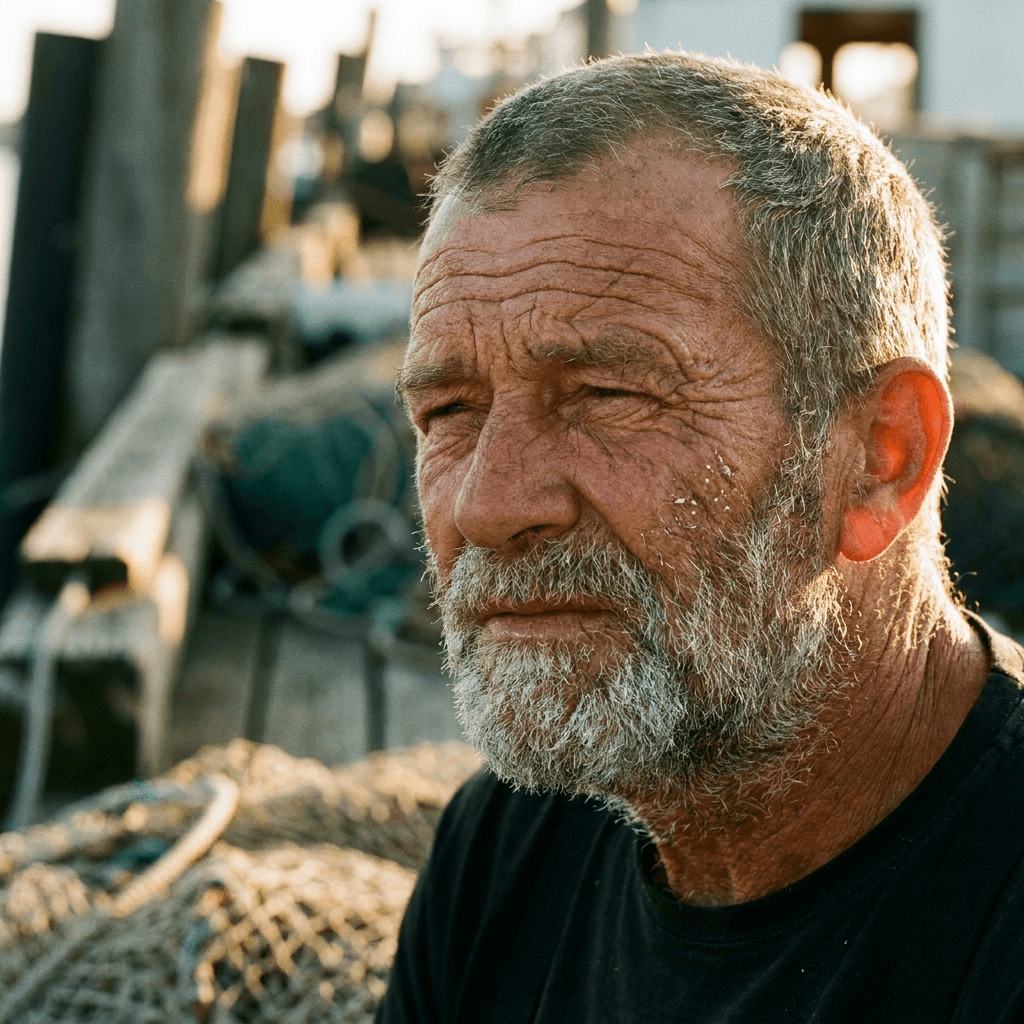 | 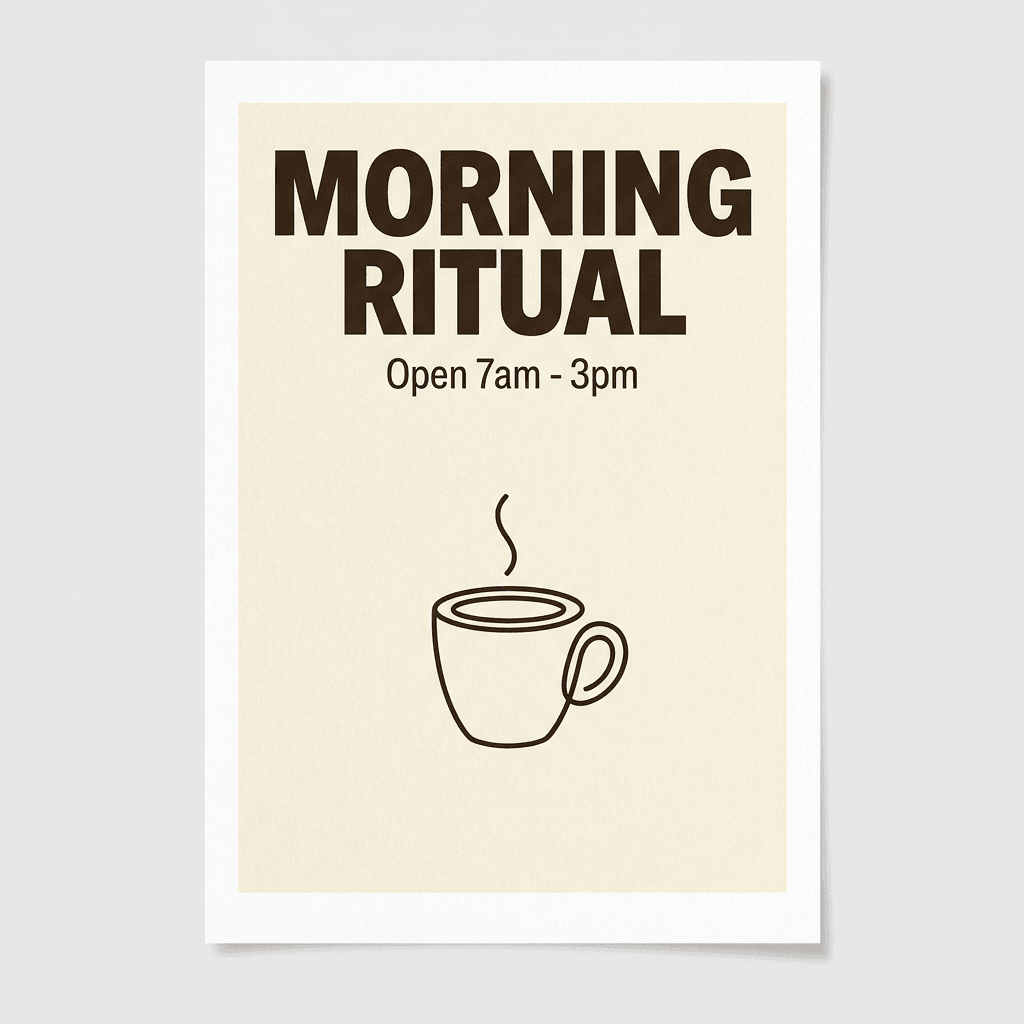 | 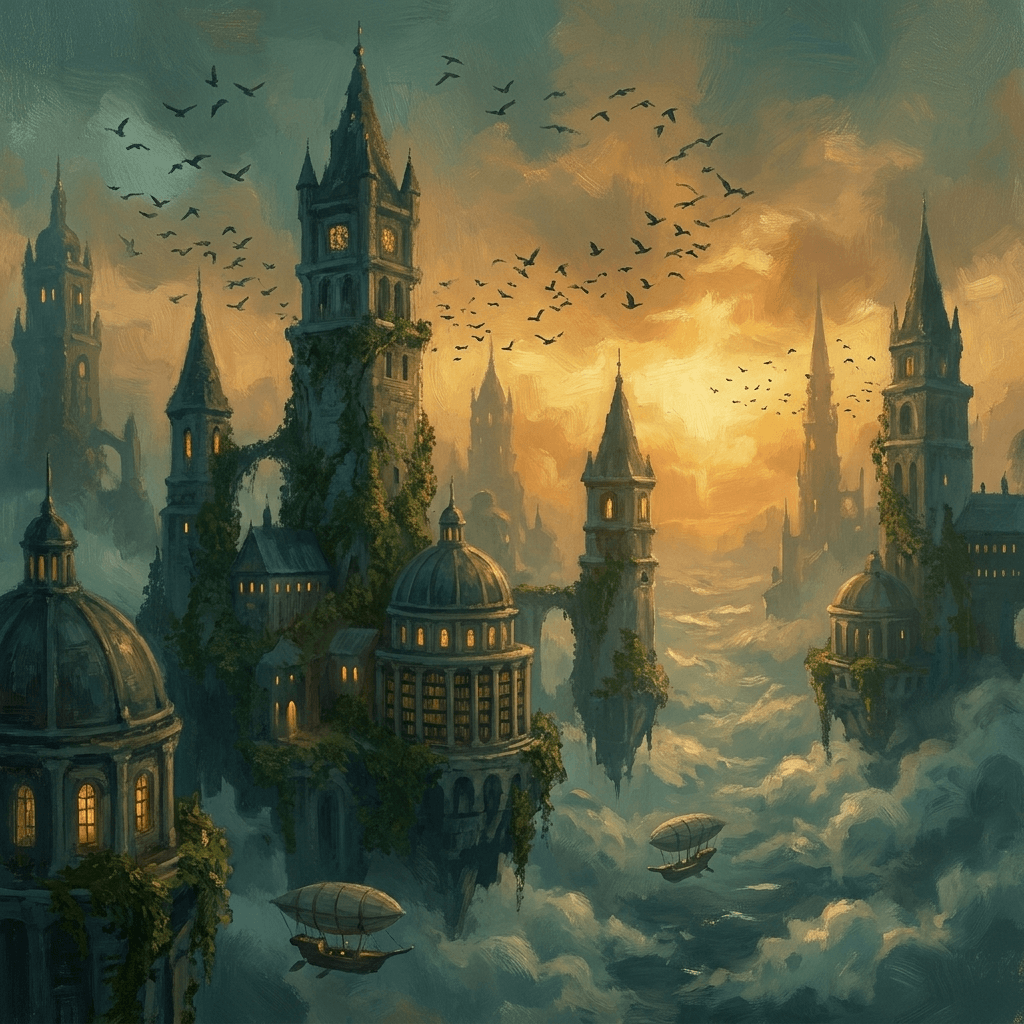 |
Nano Banana 2 | 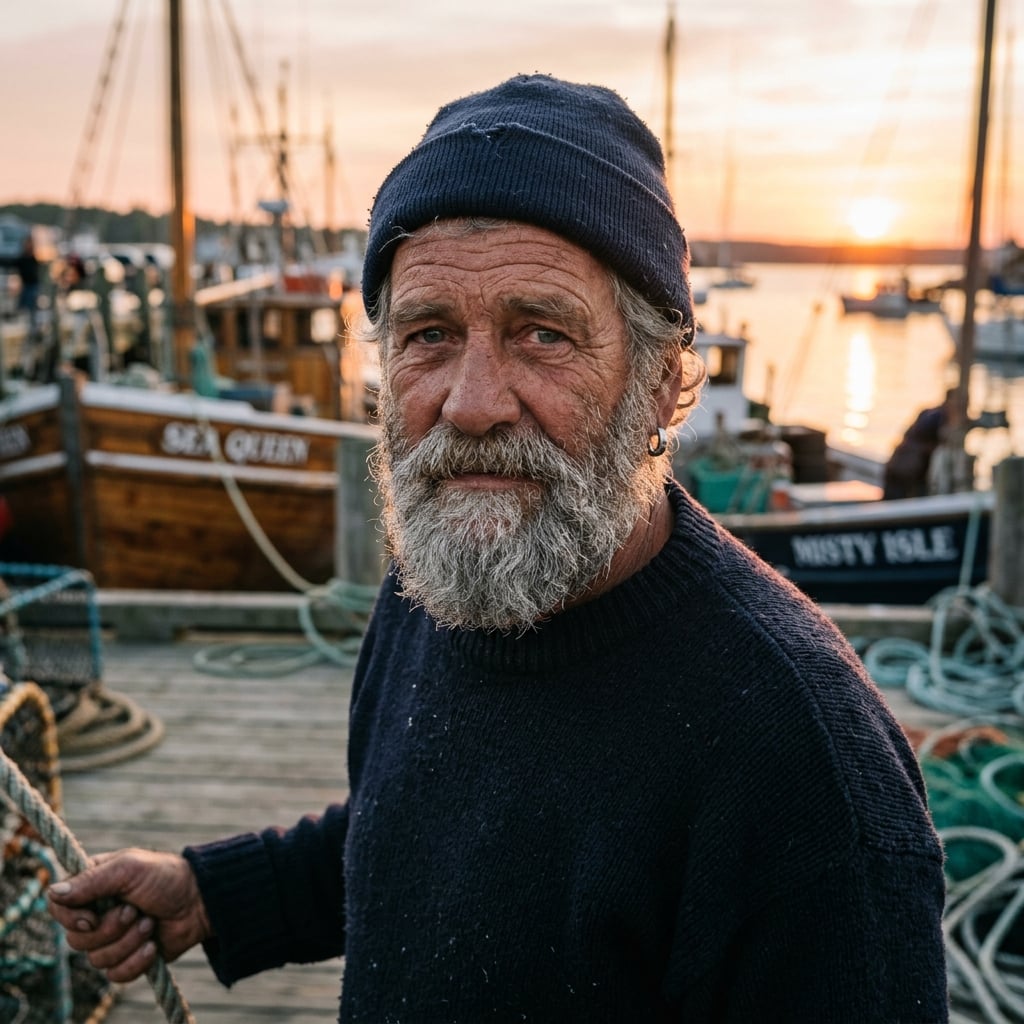 | 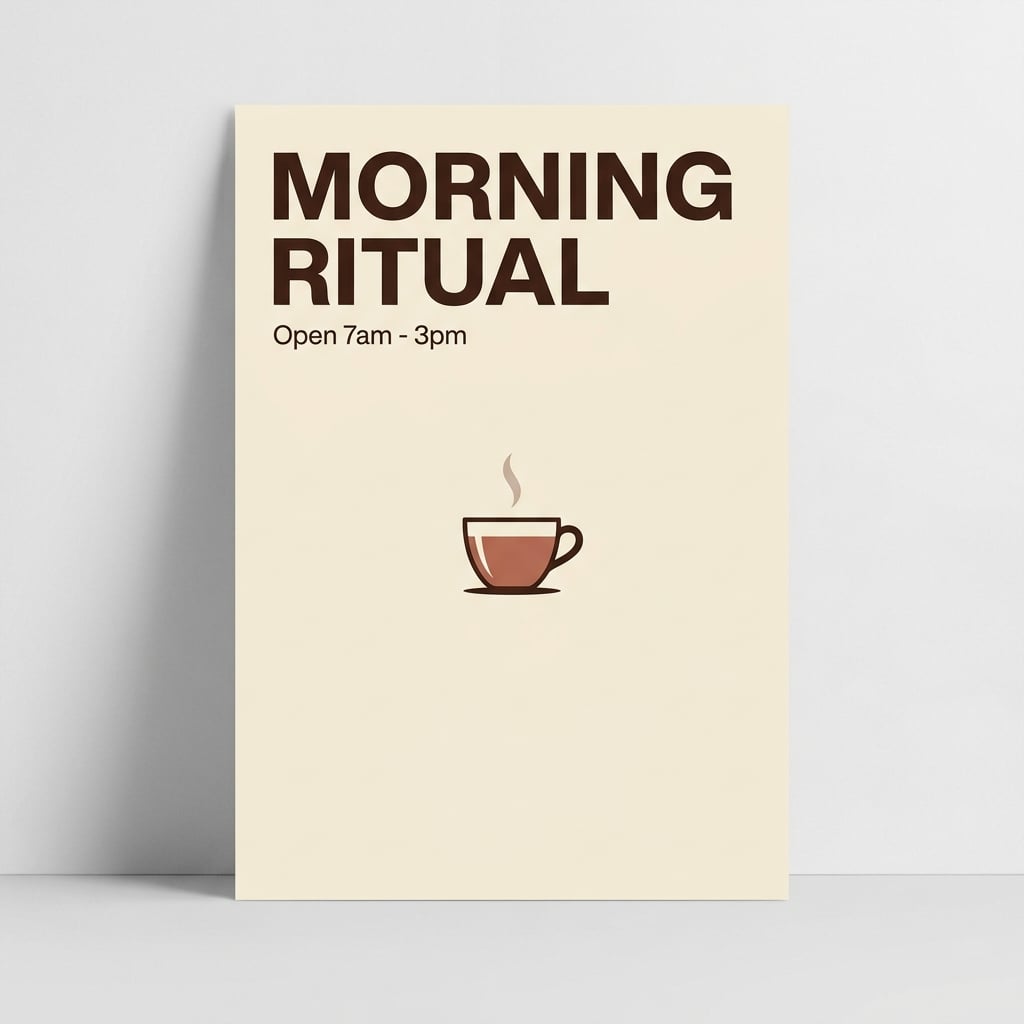 | 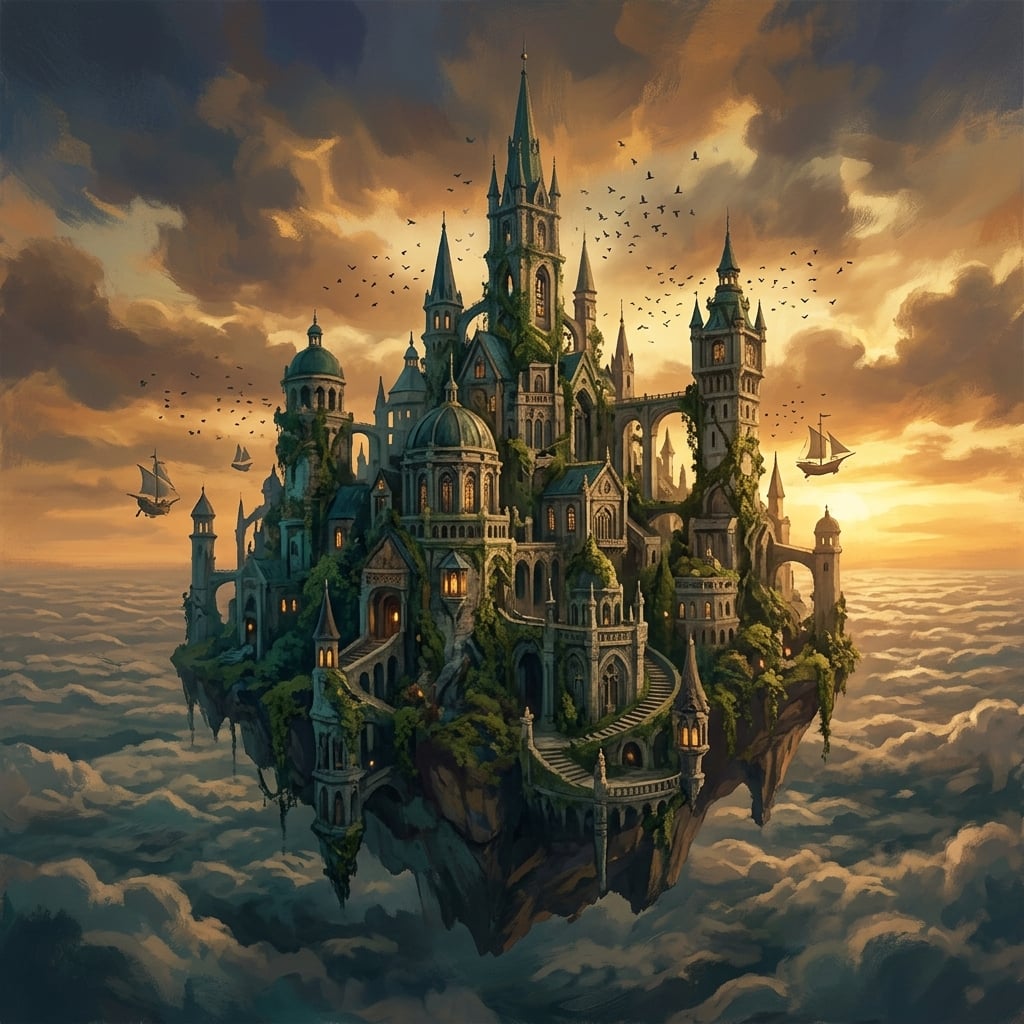 |
Nano Banana 2 Lite | 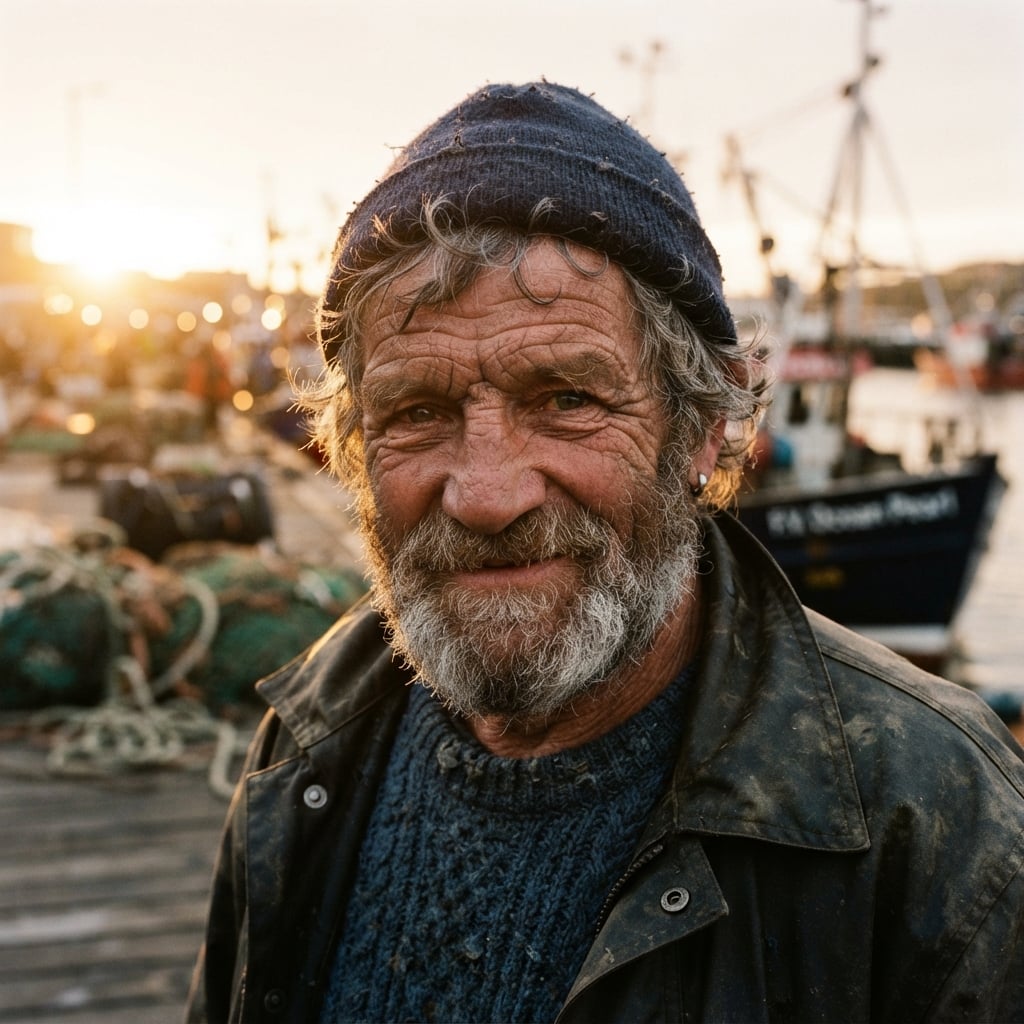 | 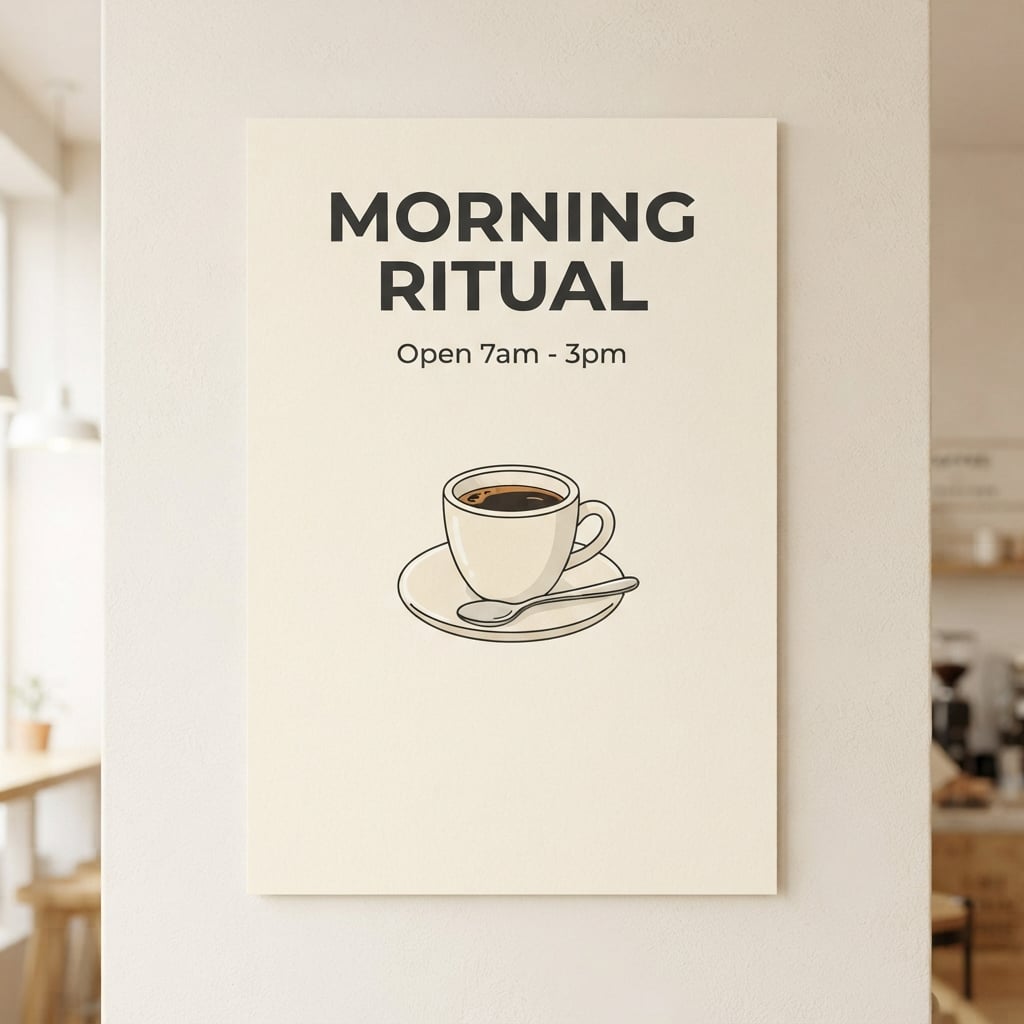 | 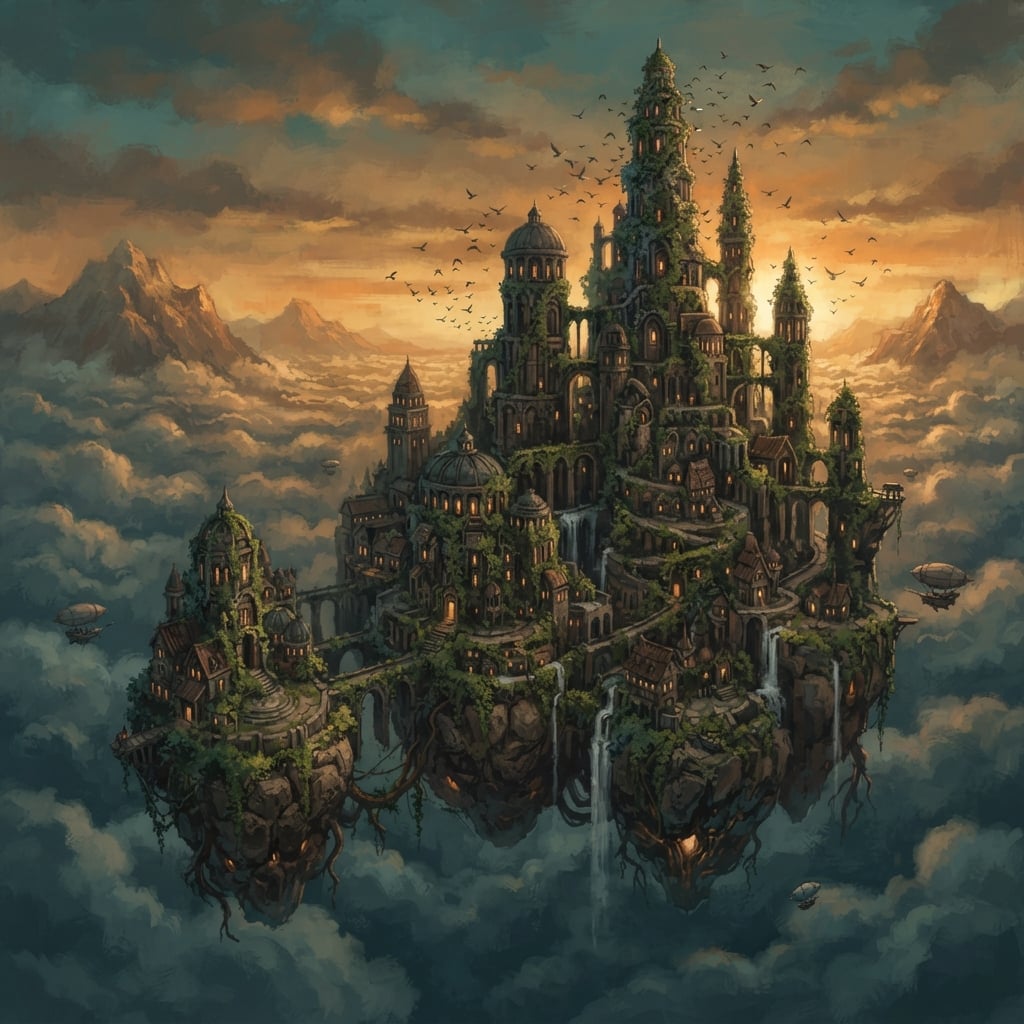 |
GPT Image 2 | 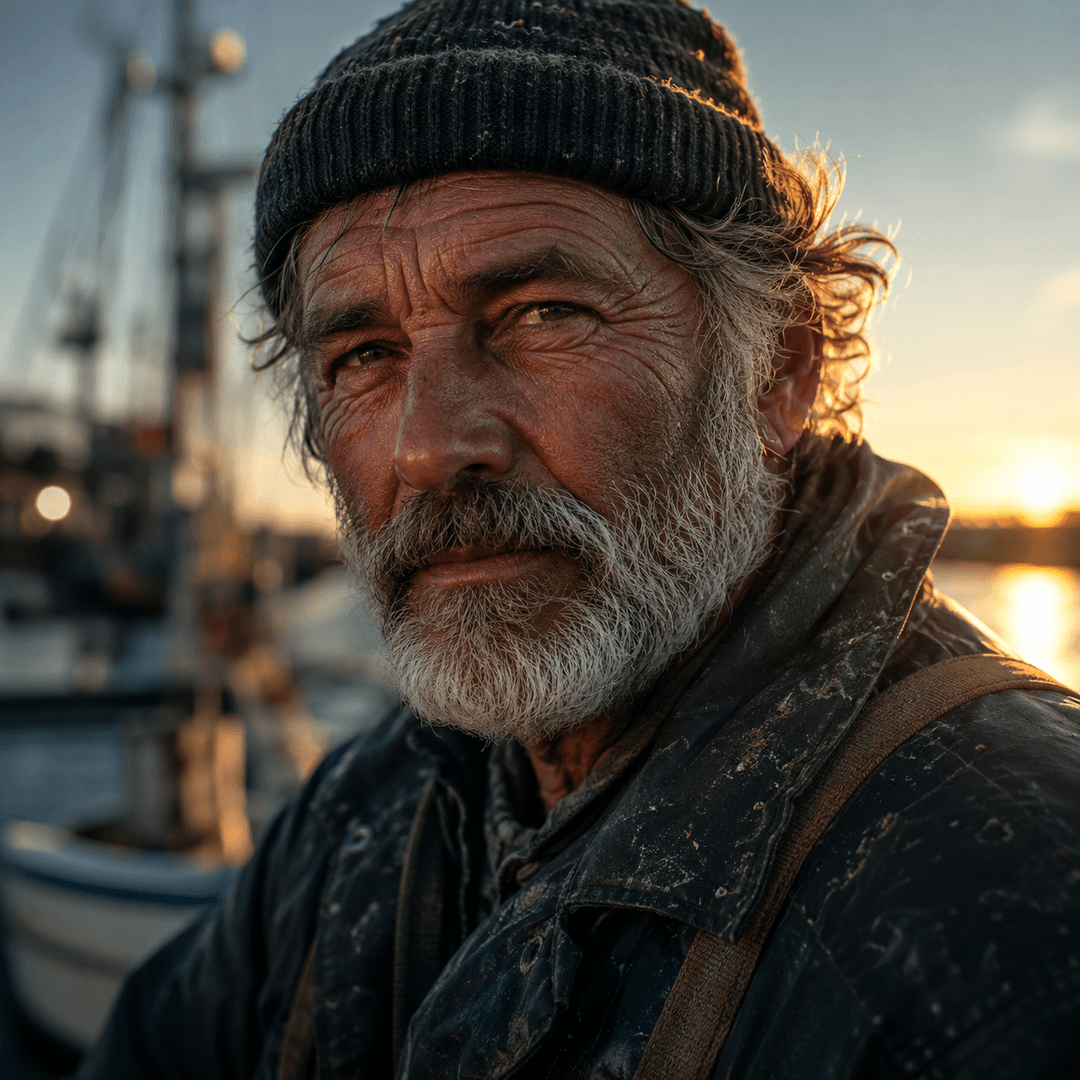 | 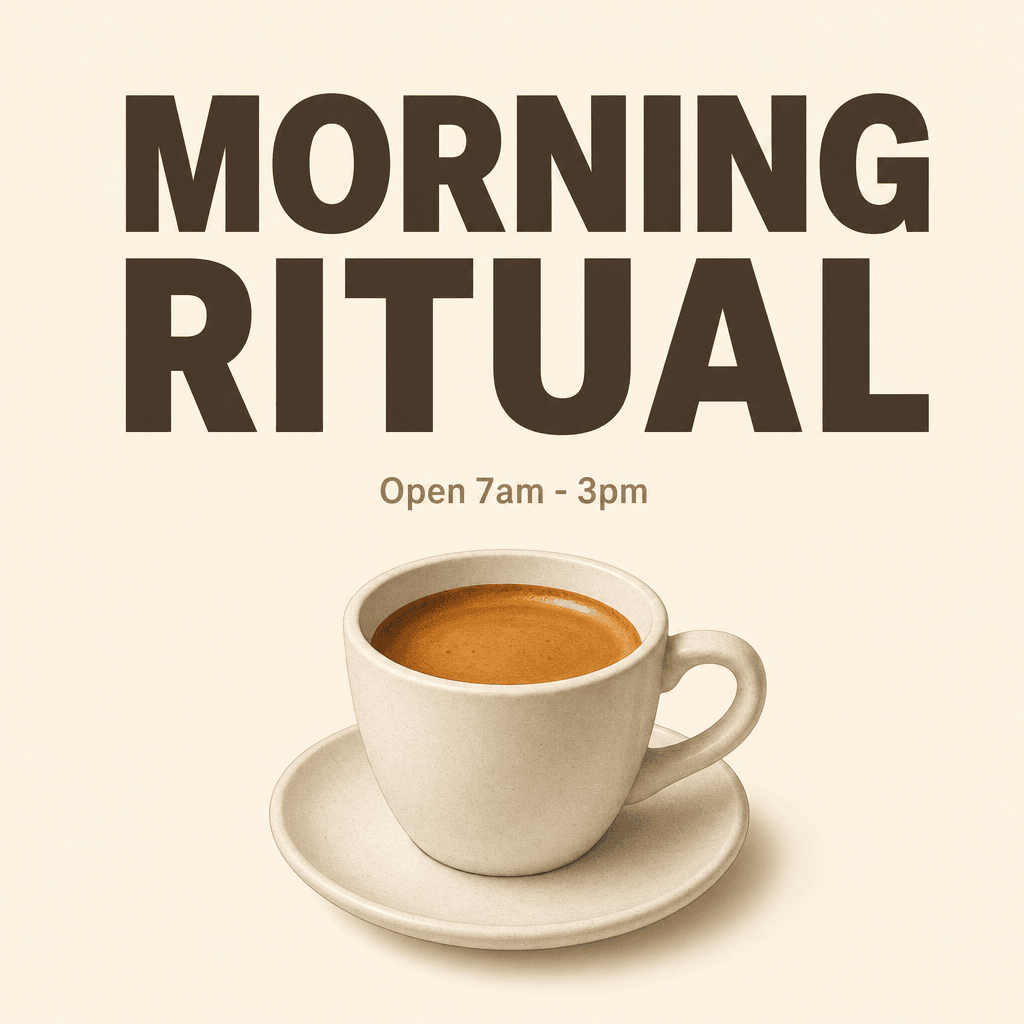 | 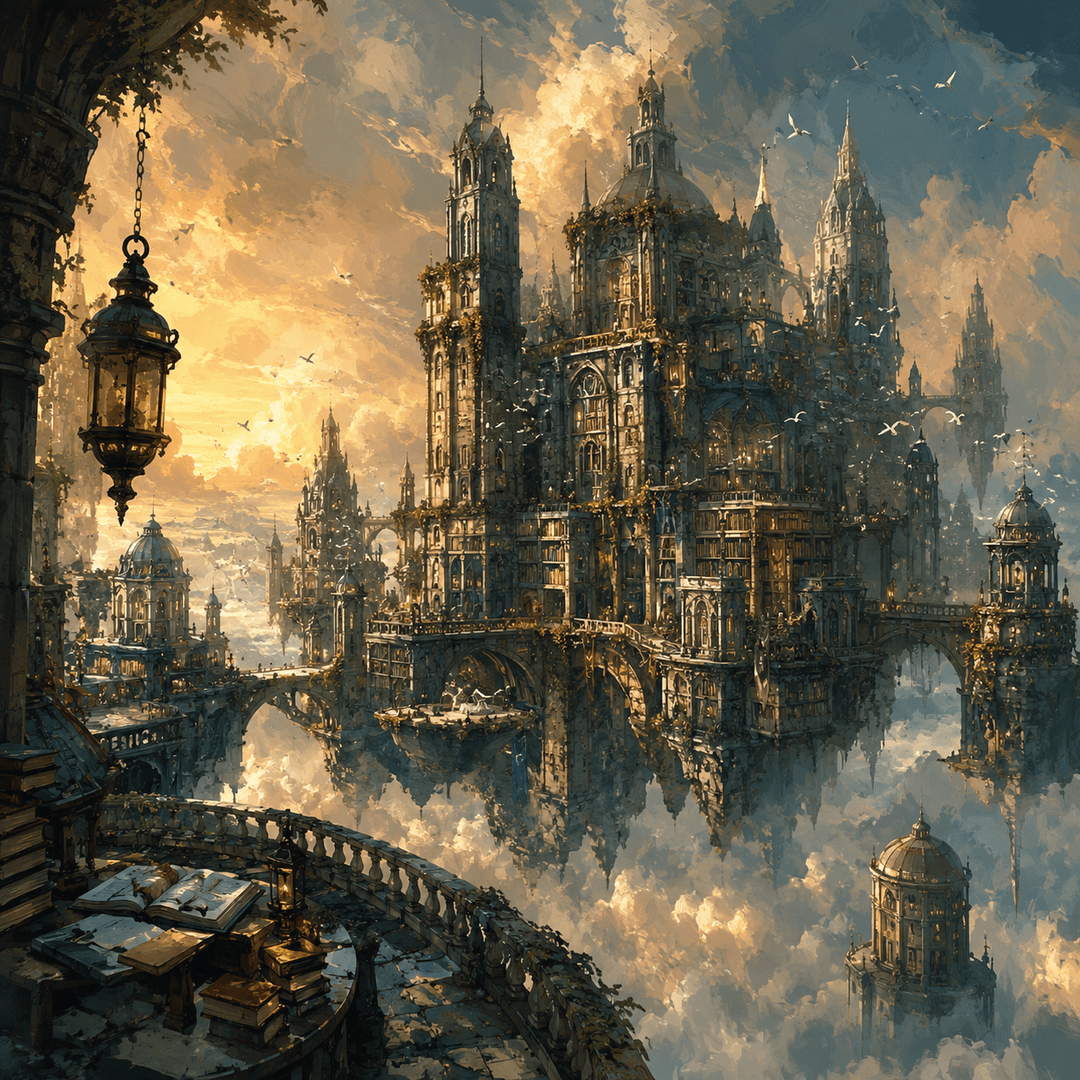 |
GPT Image 1.5 | 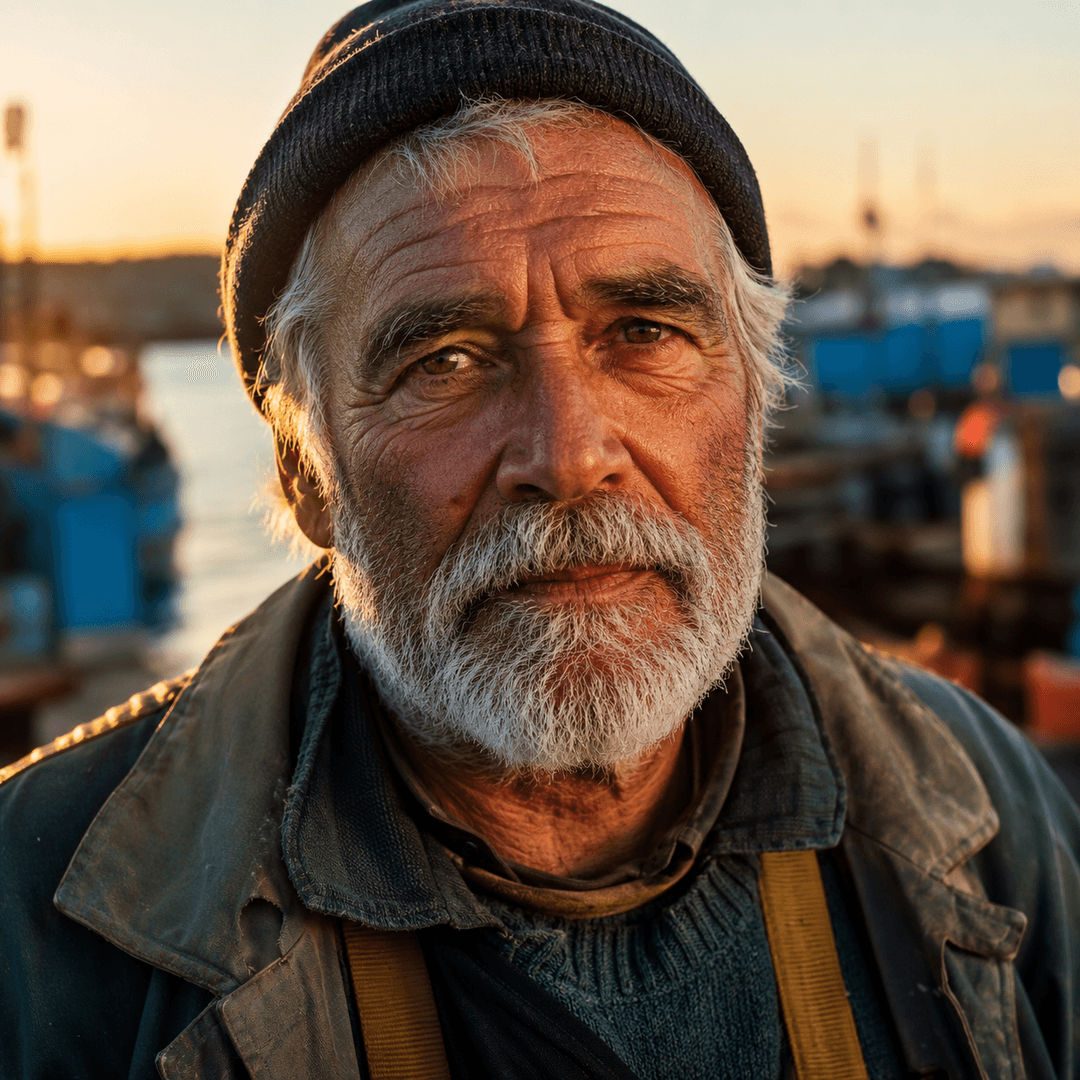 | 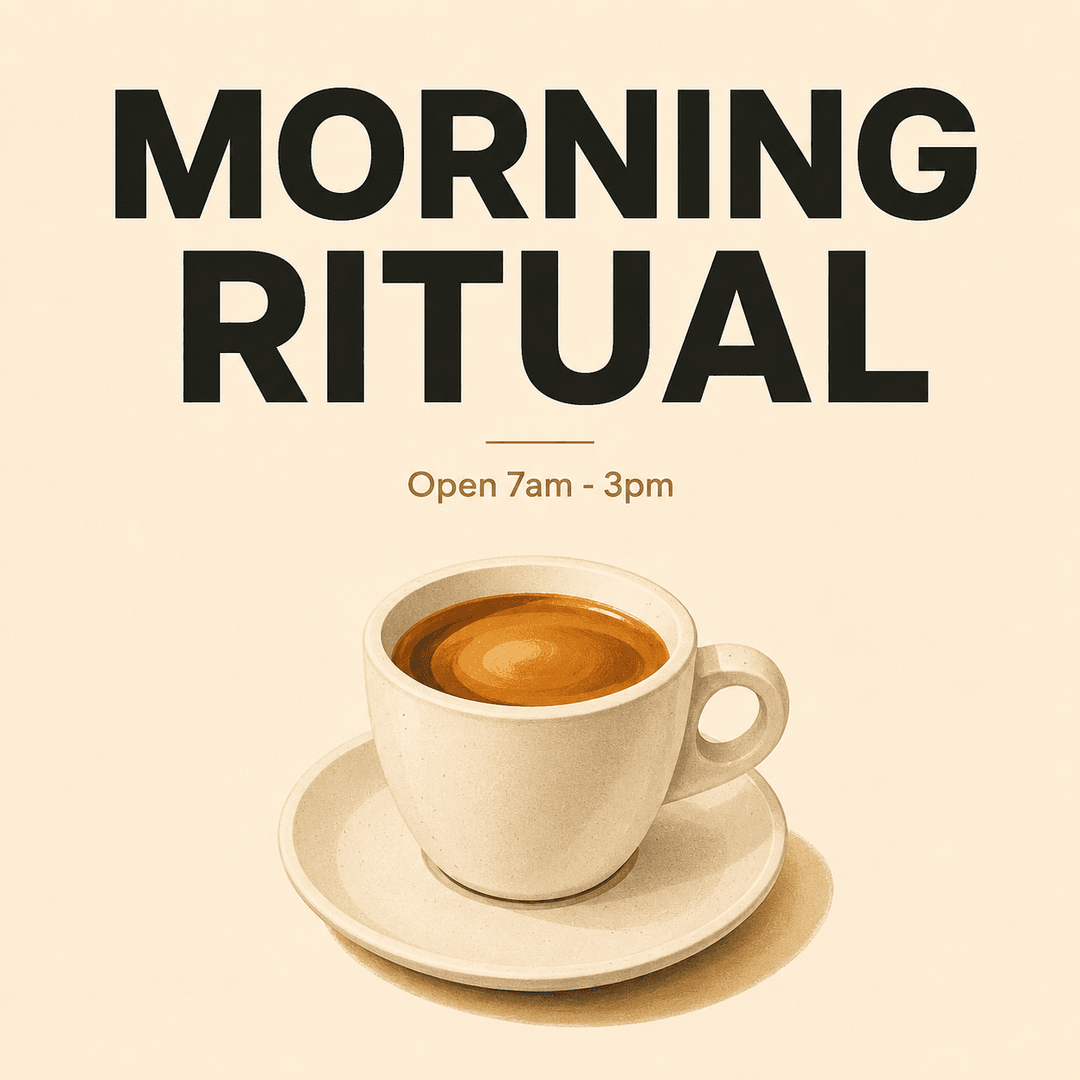 | 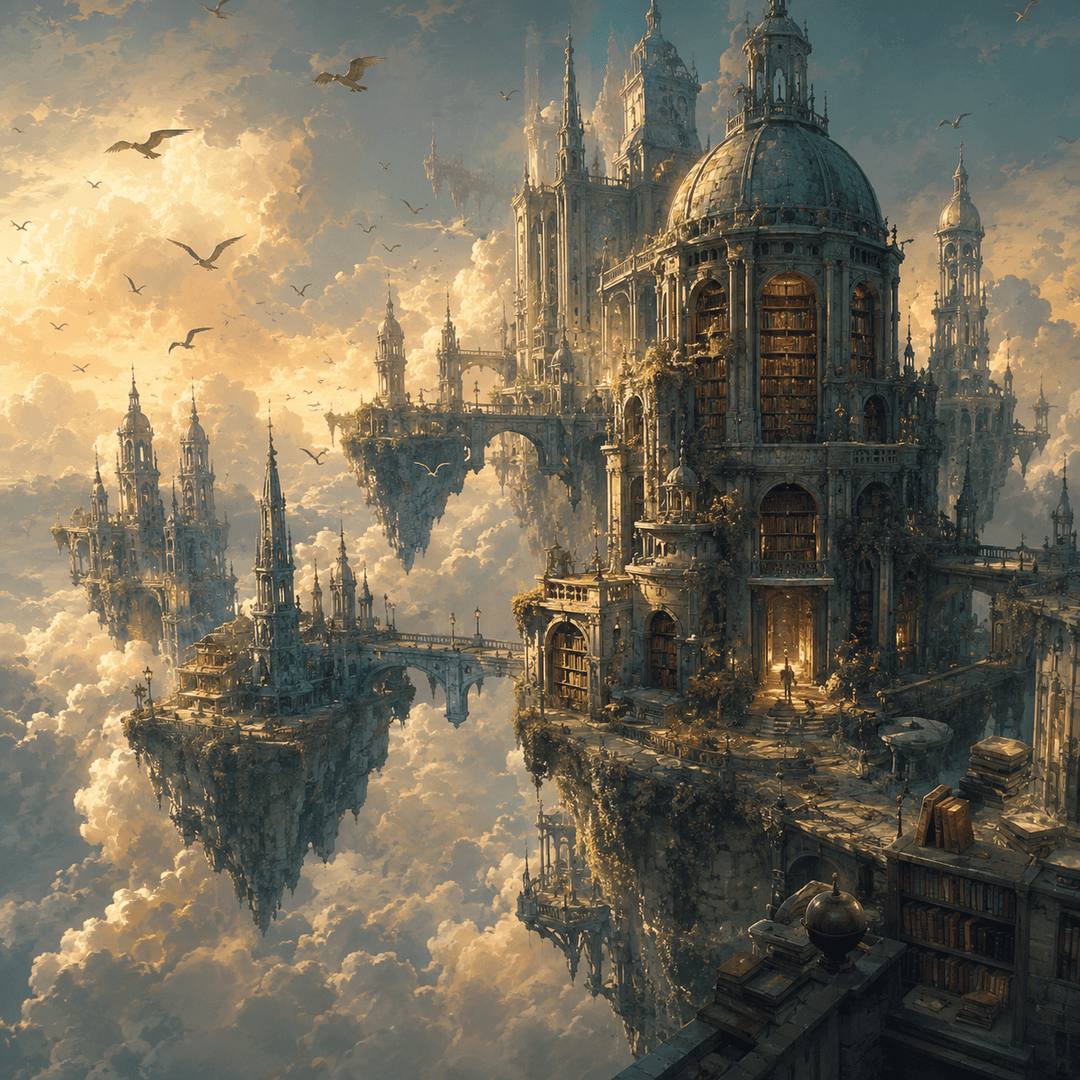 |
Midjourney V8.1 | 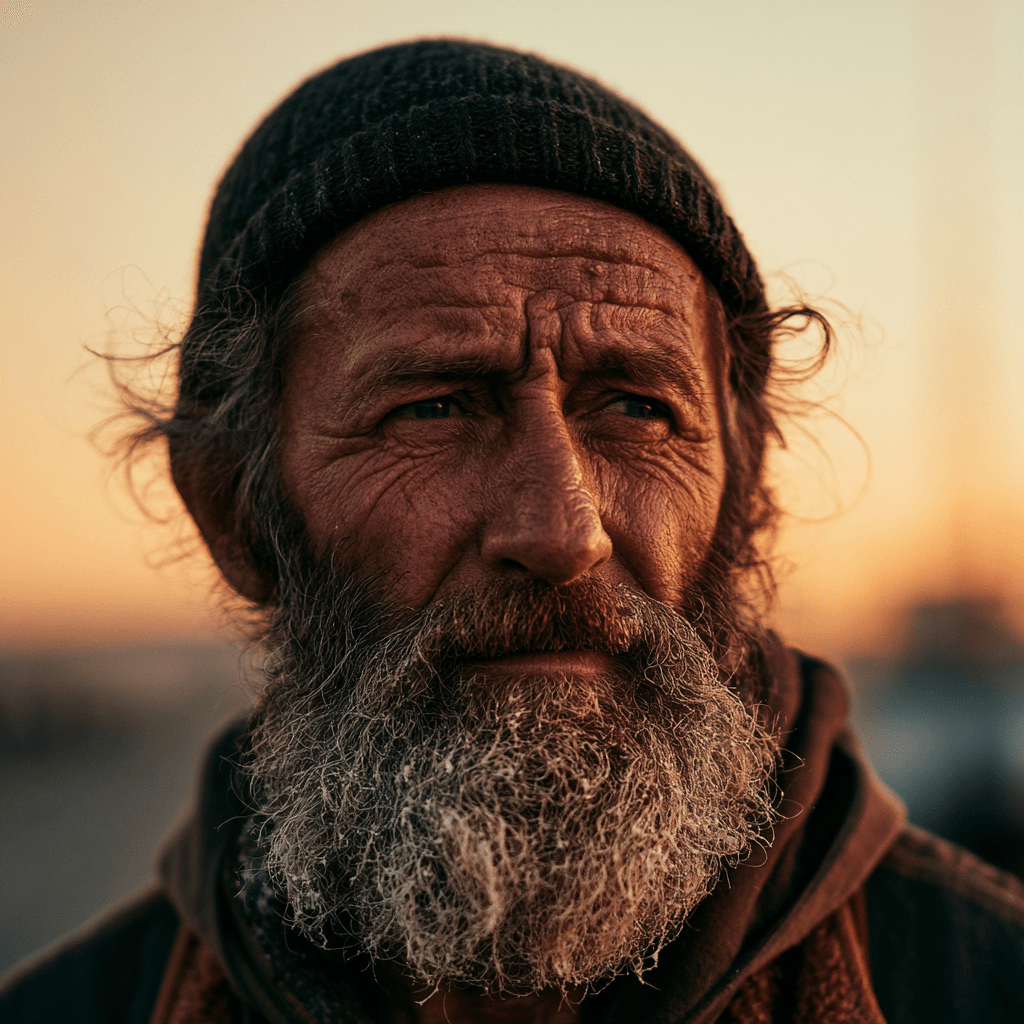 | 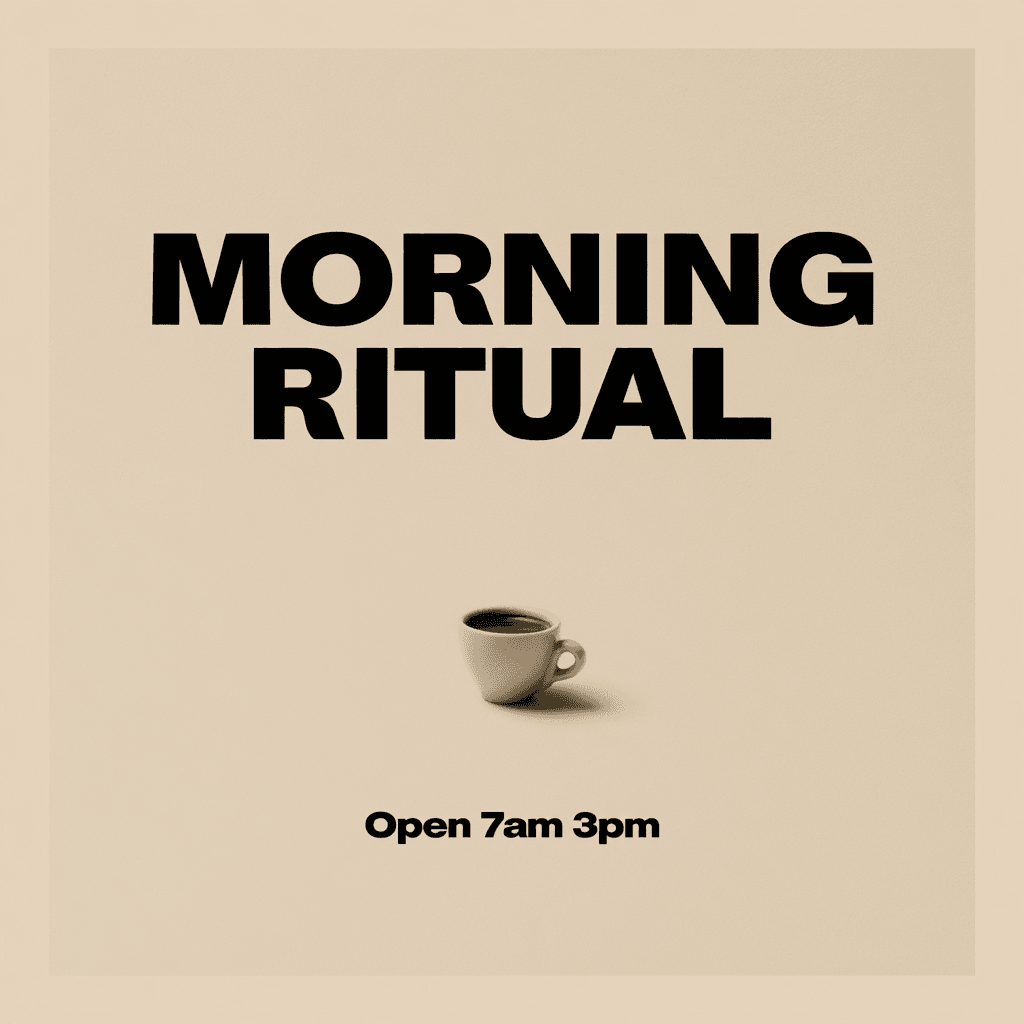 | 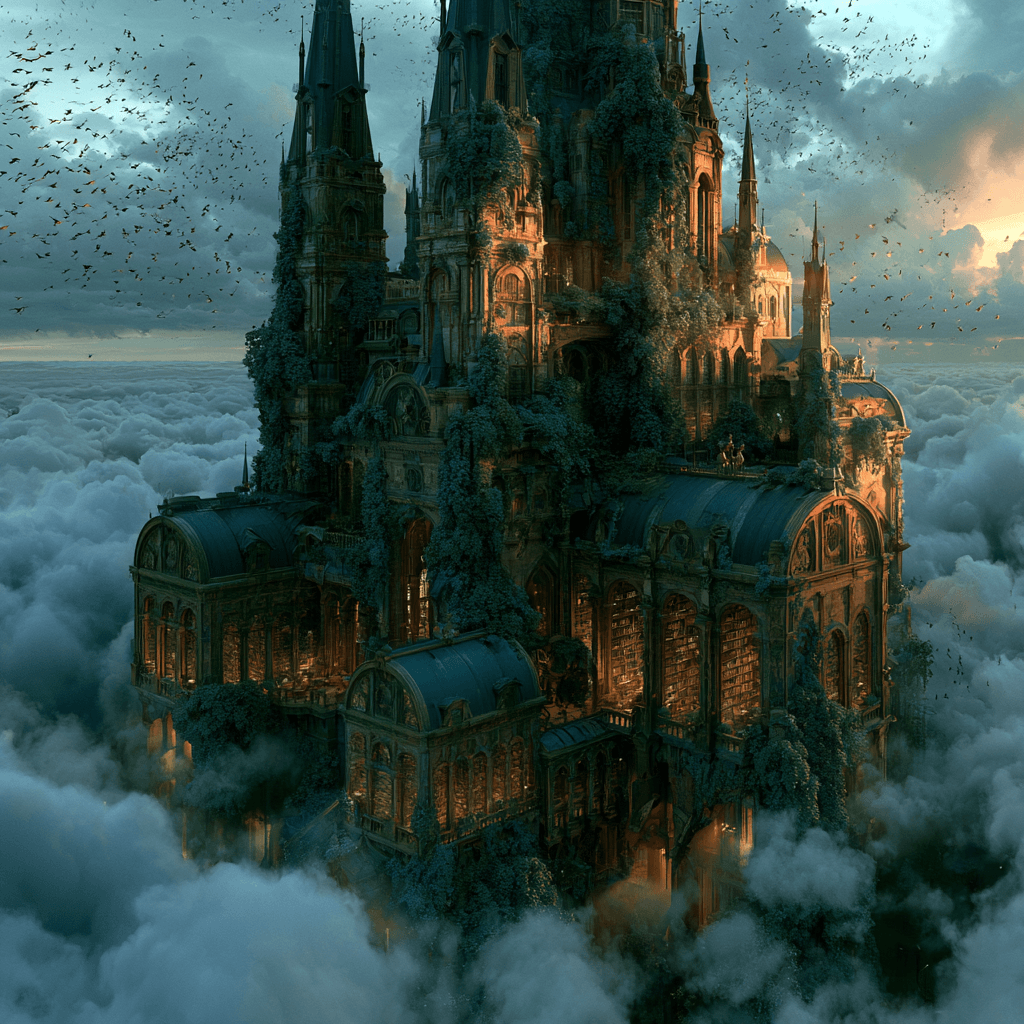 |
Midjourney V7 | 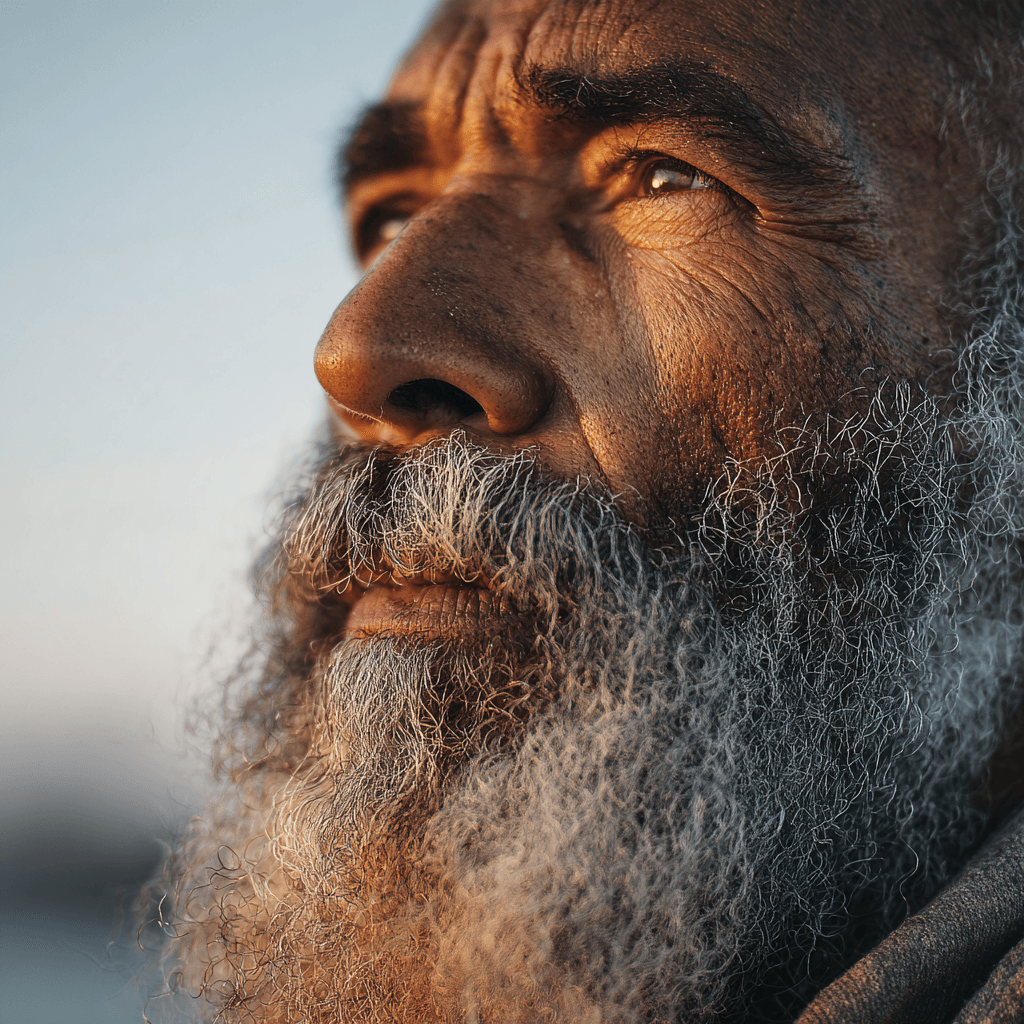 | 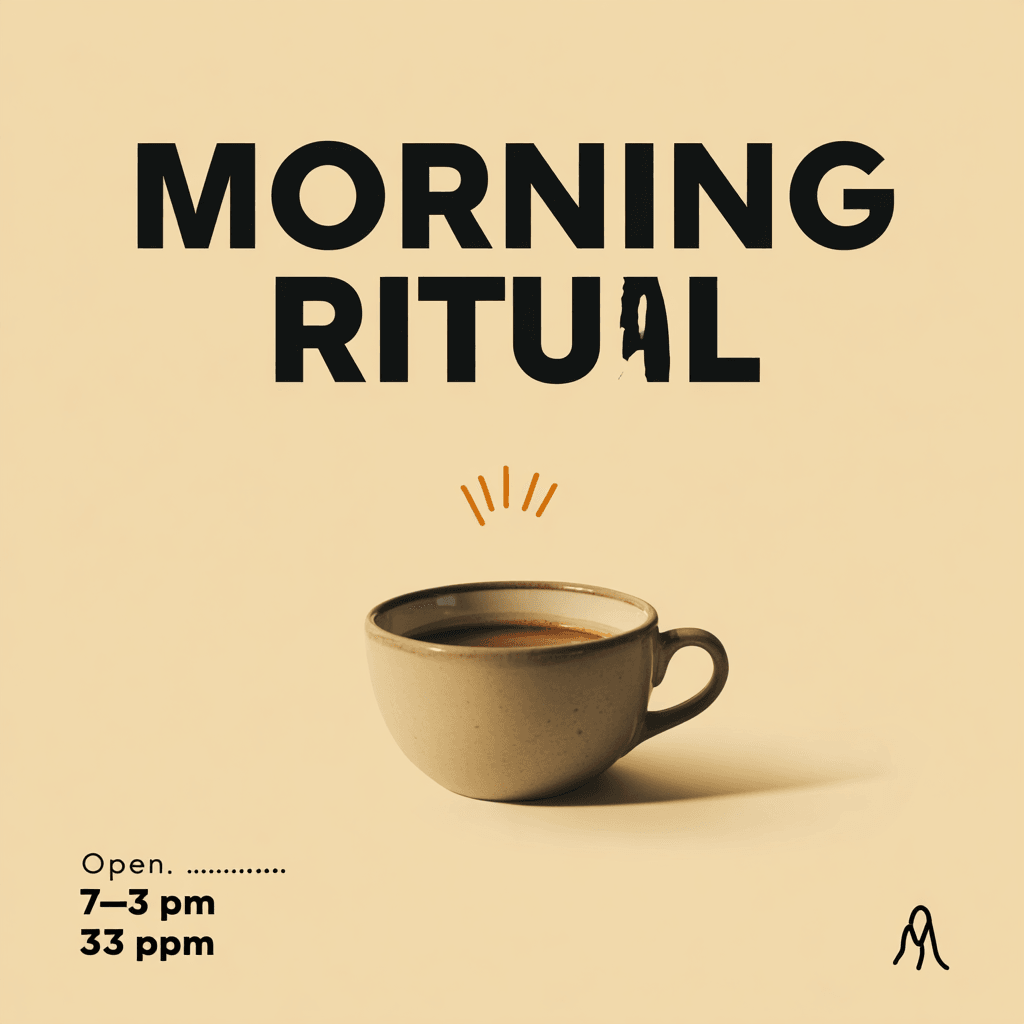 | 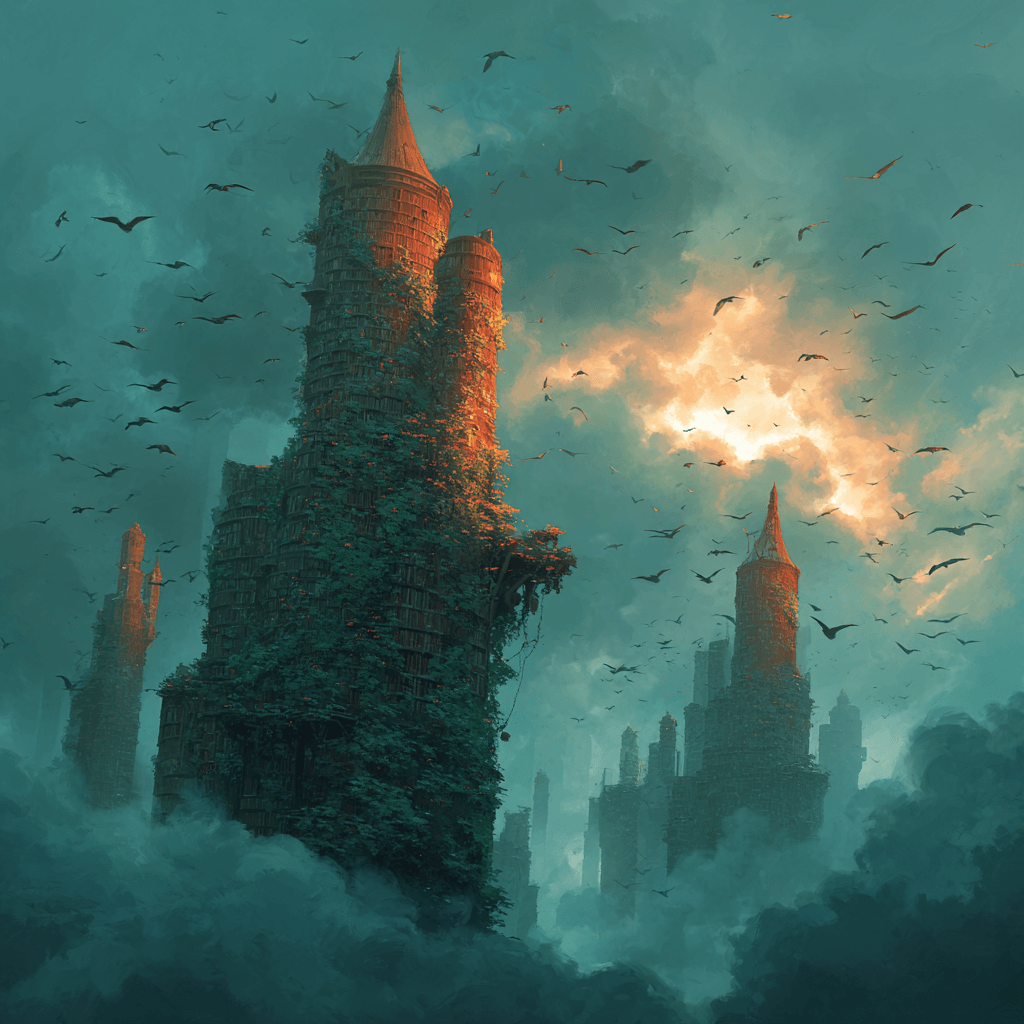 |
Seedream 5 Pro | 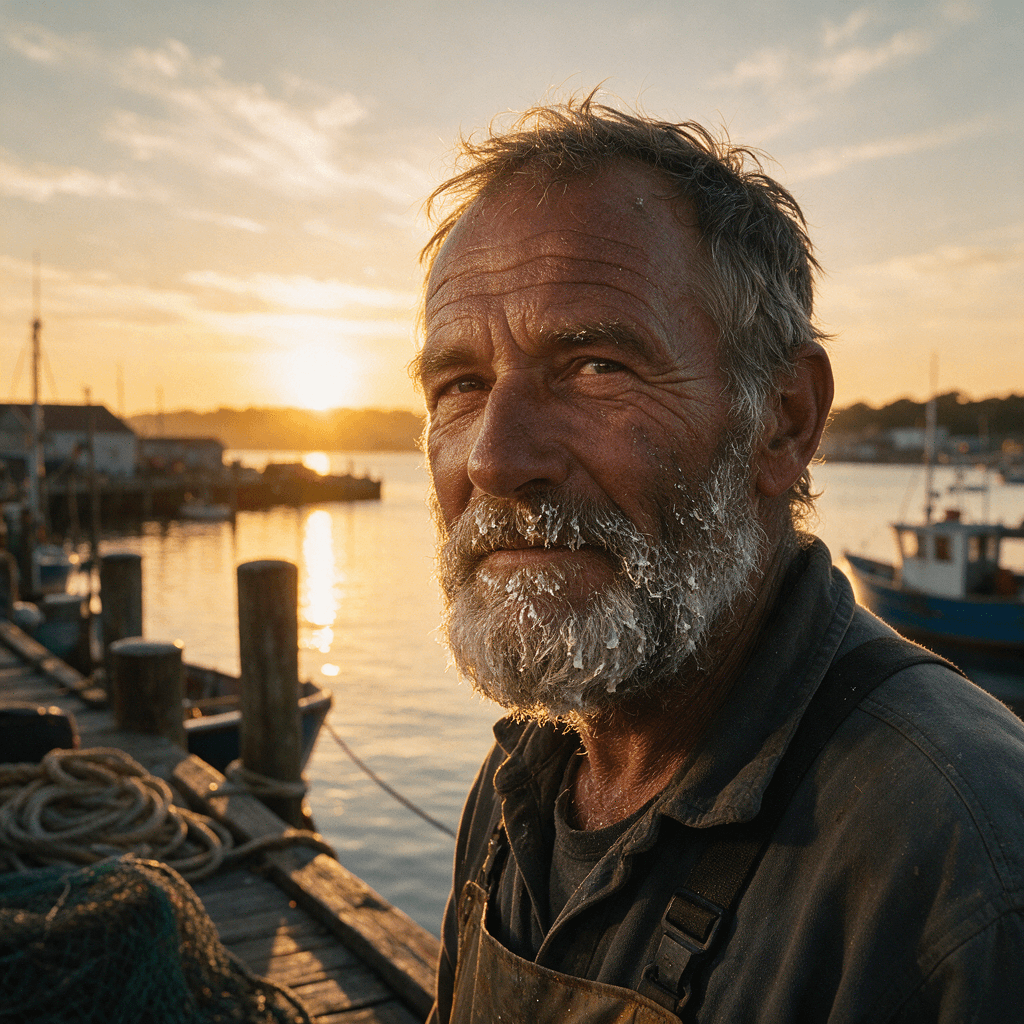 | 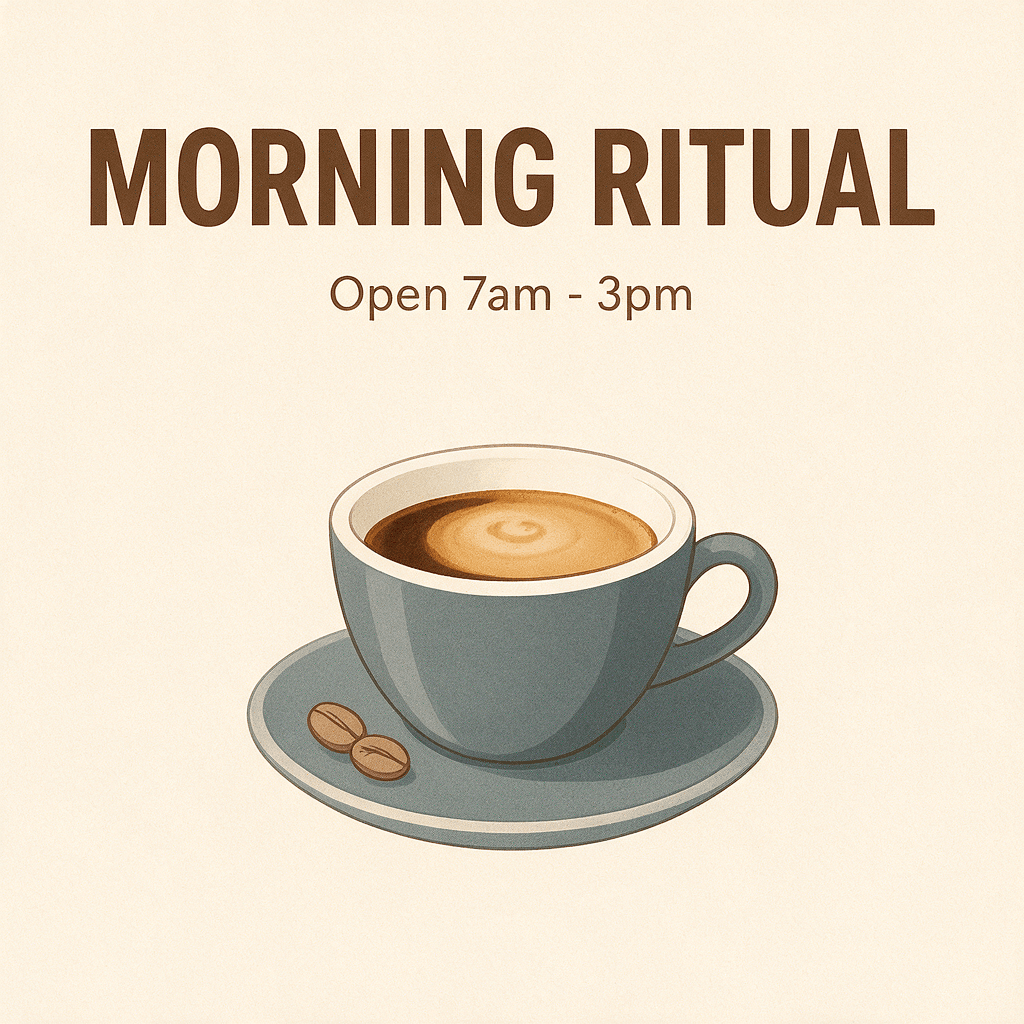 | 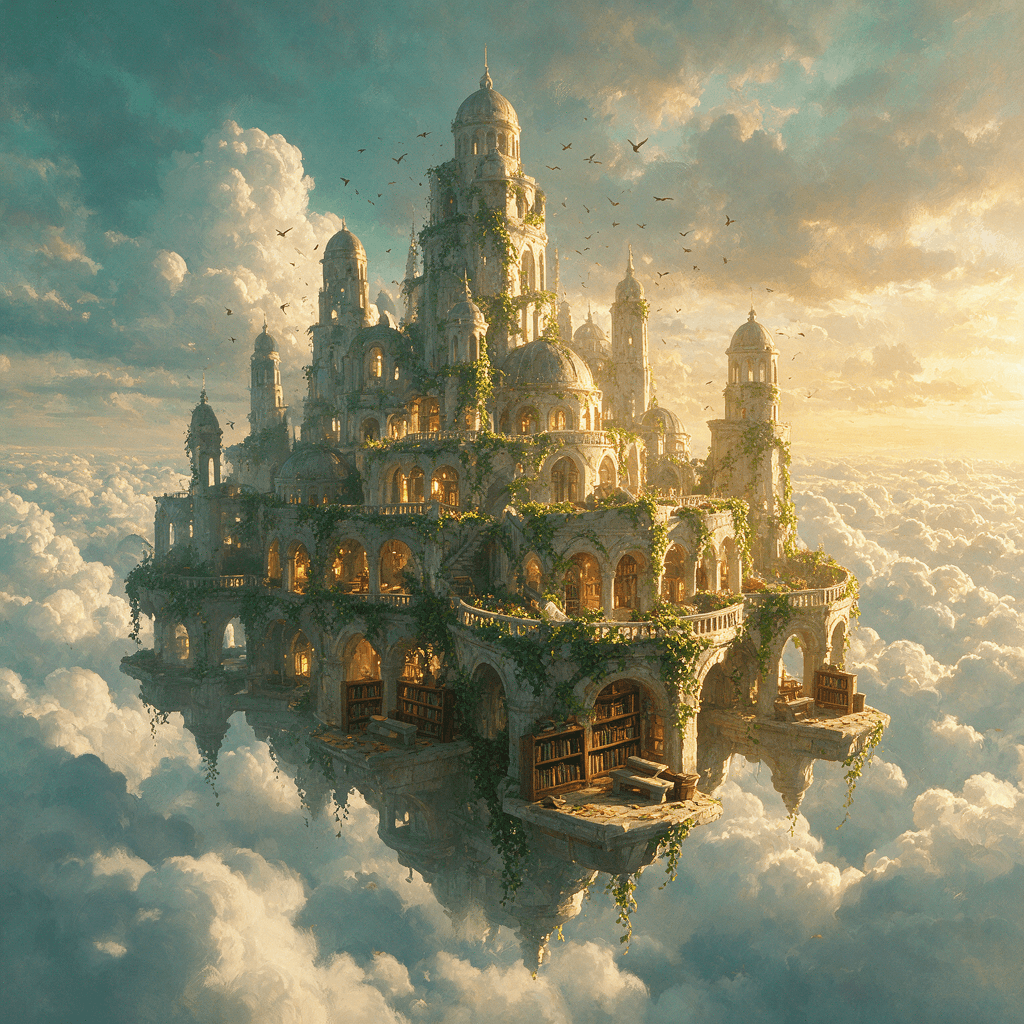 |
Seedream 5 Lite | 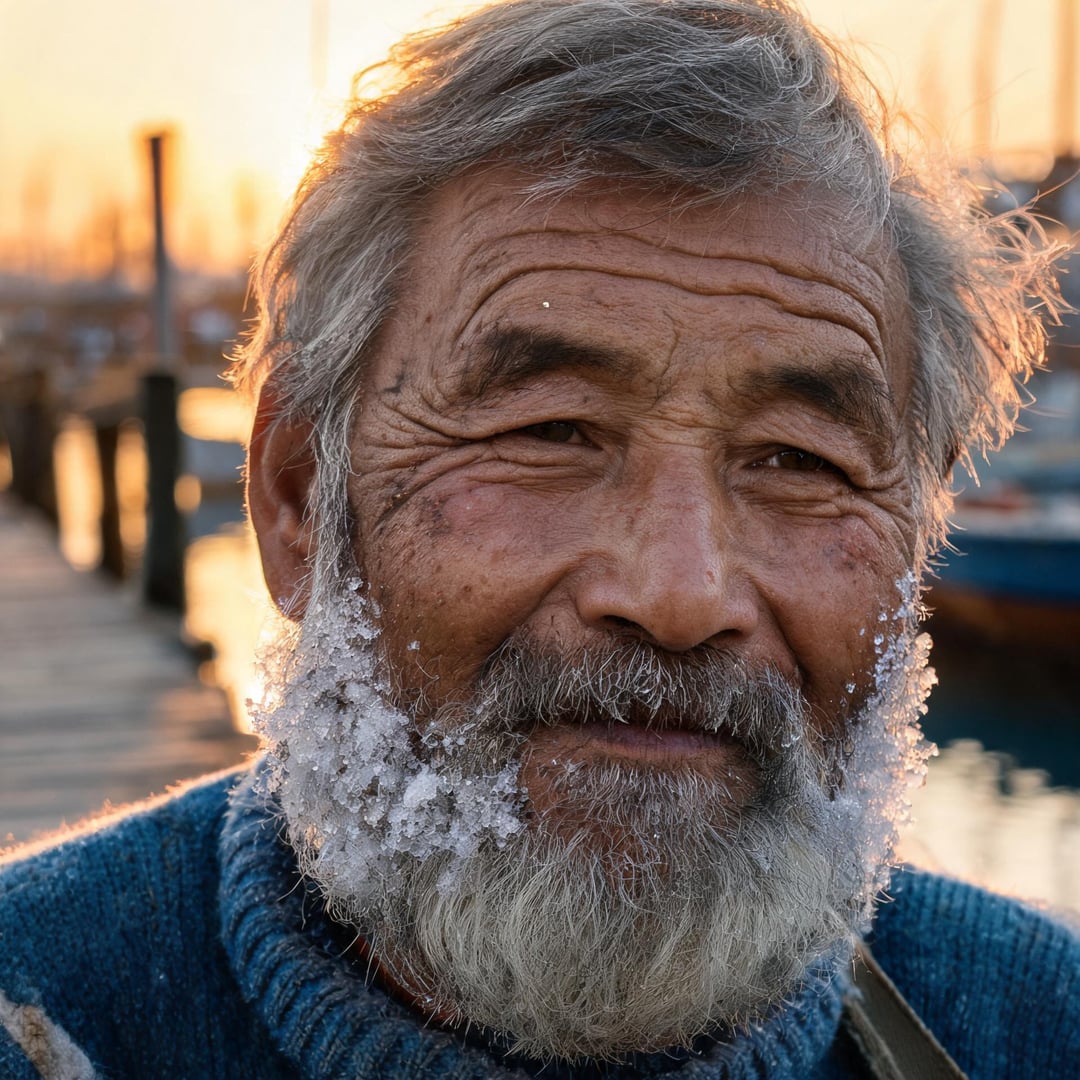 | 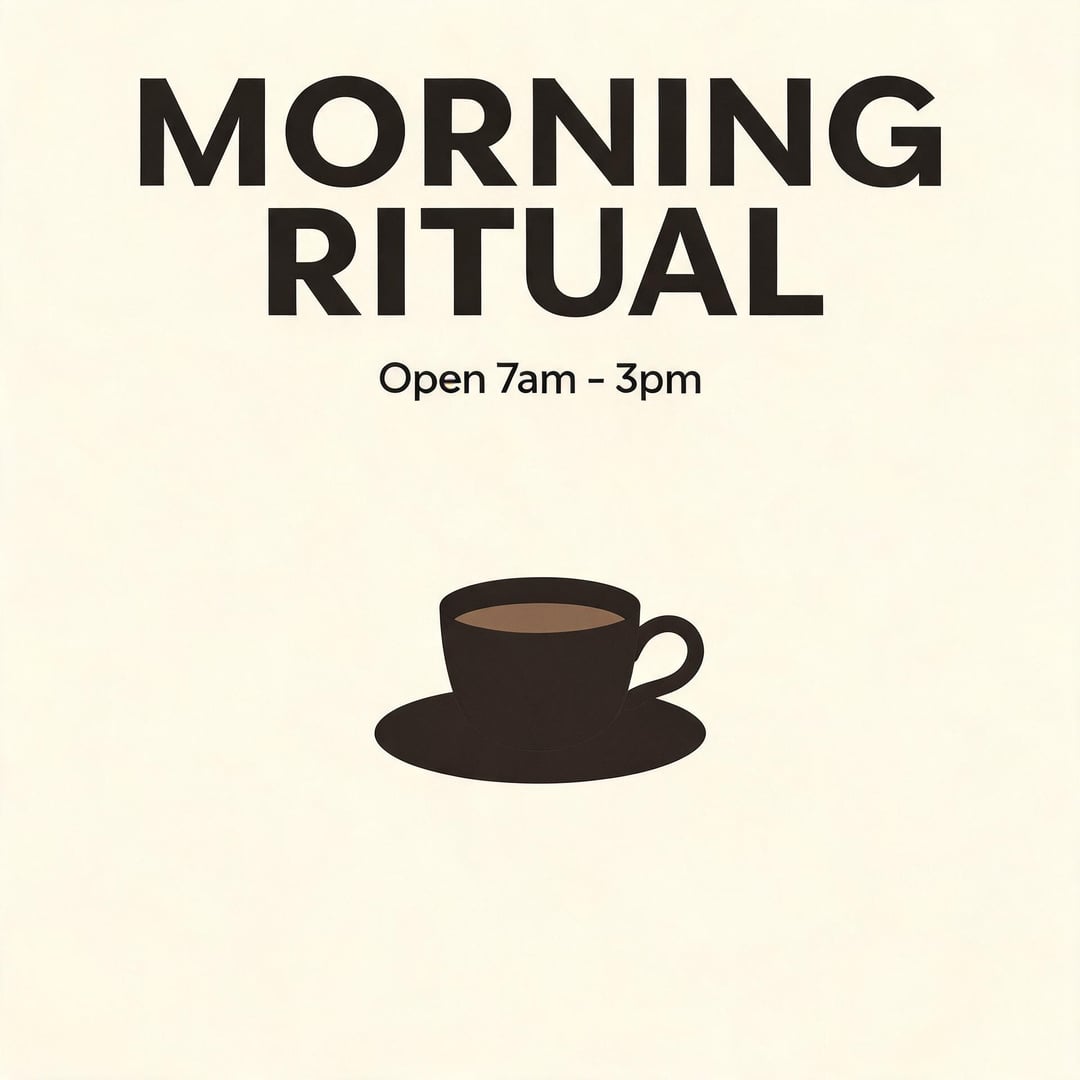 | 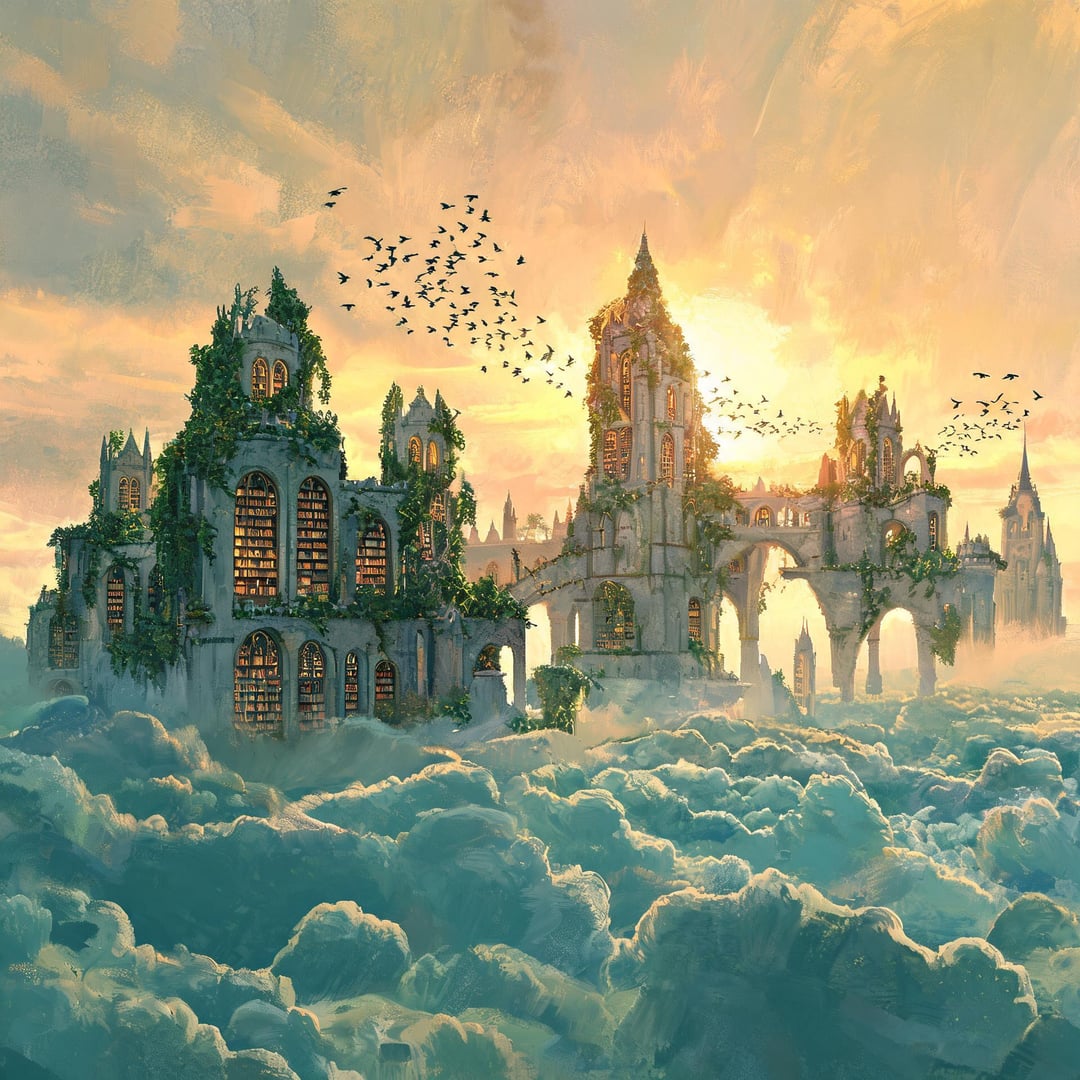 |
Qwen2 | 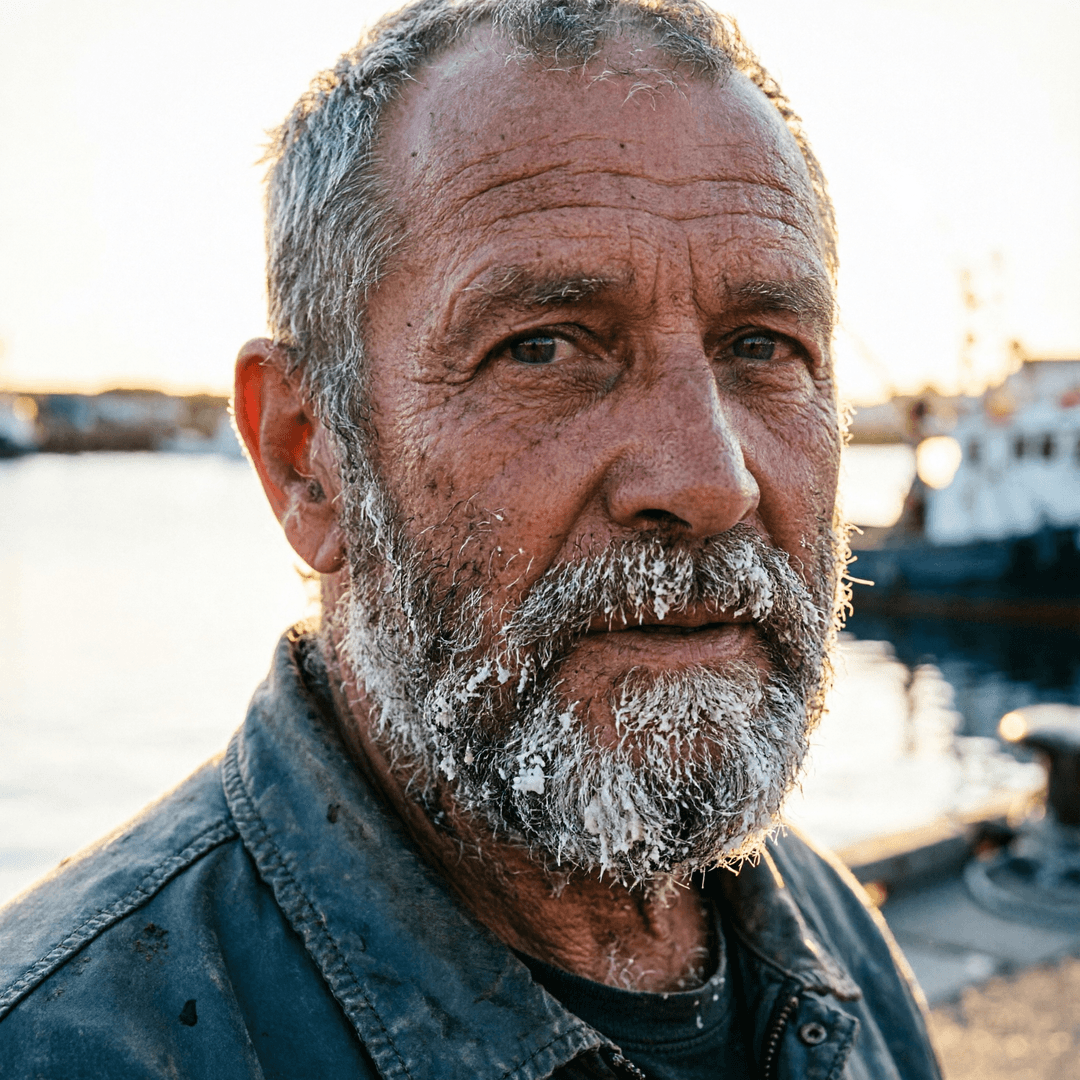 | 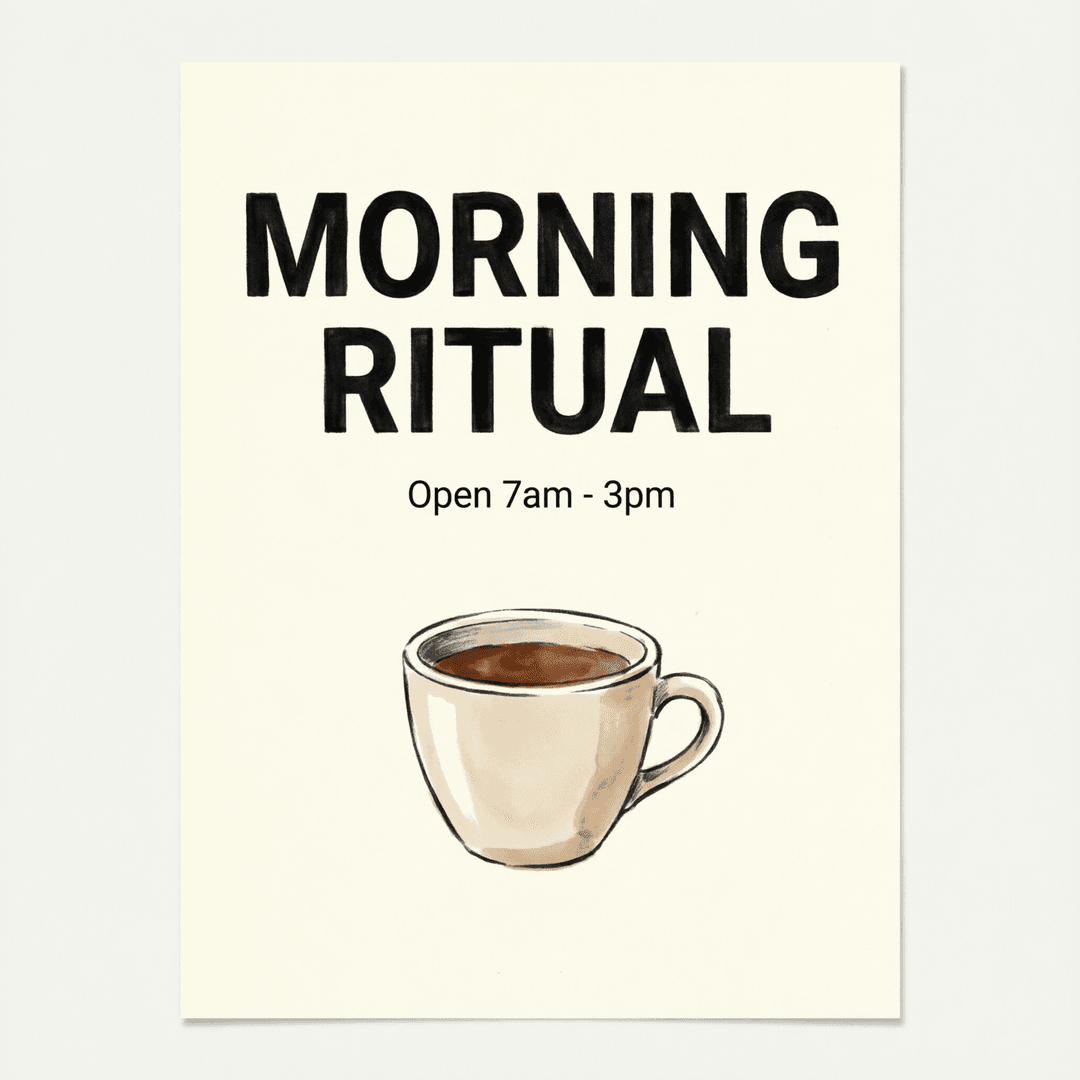 | 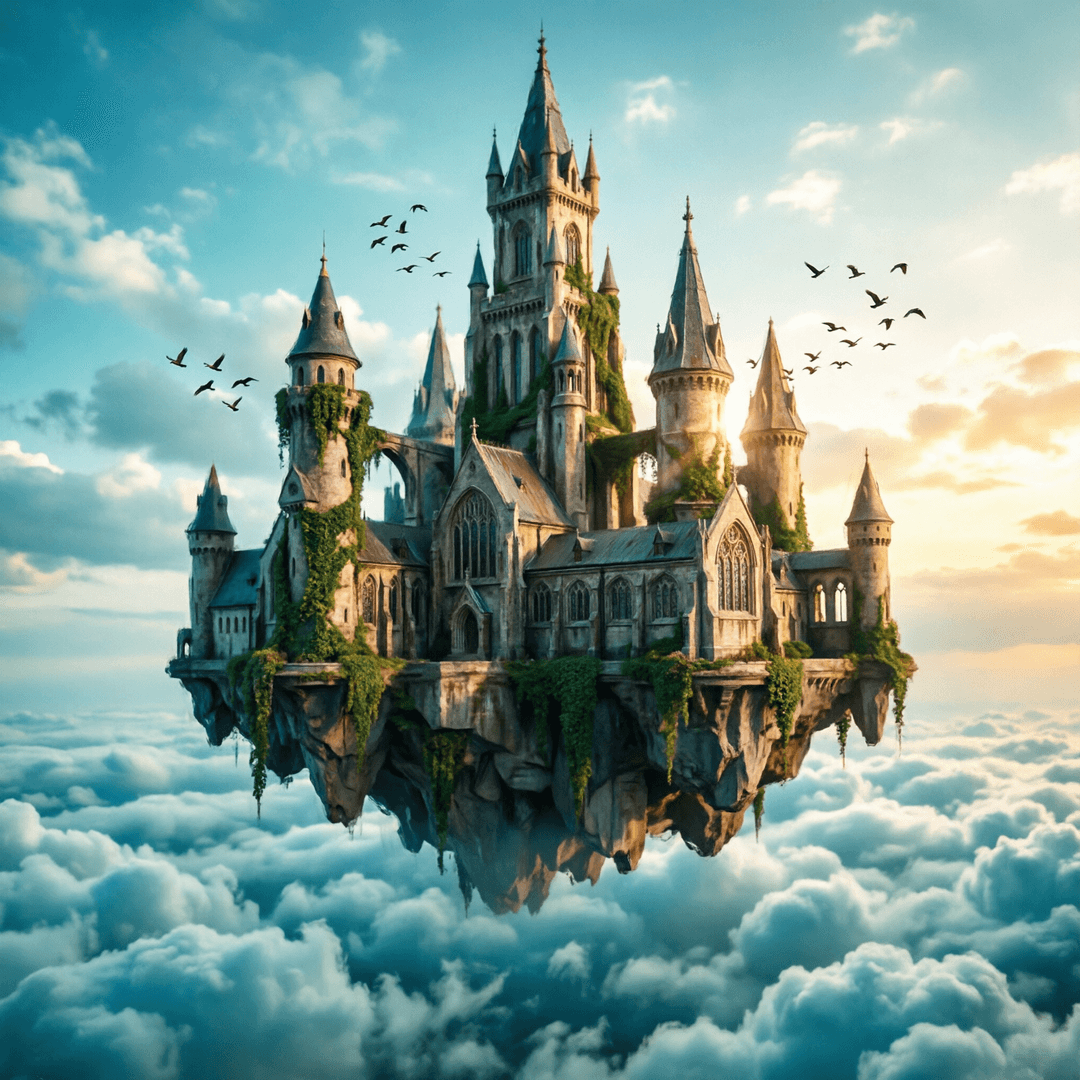 |
Grok Imagine | 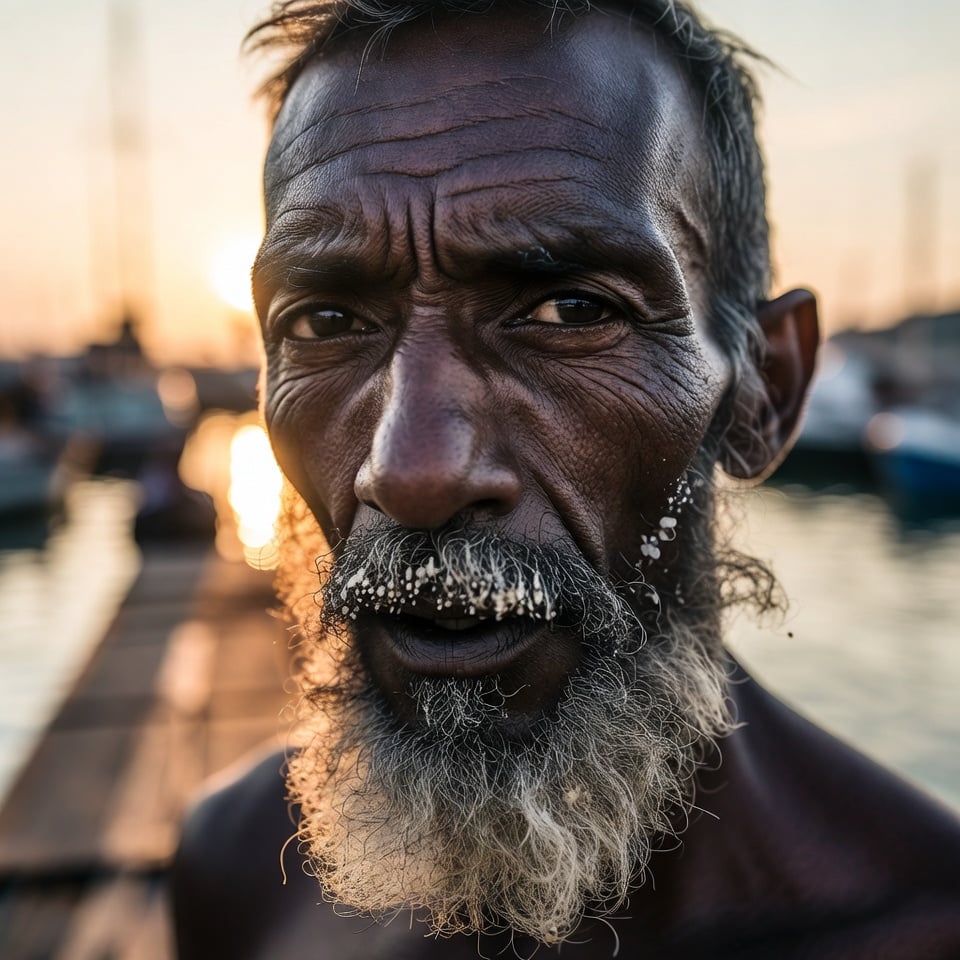 | 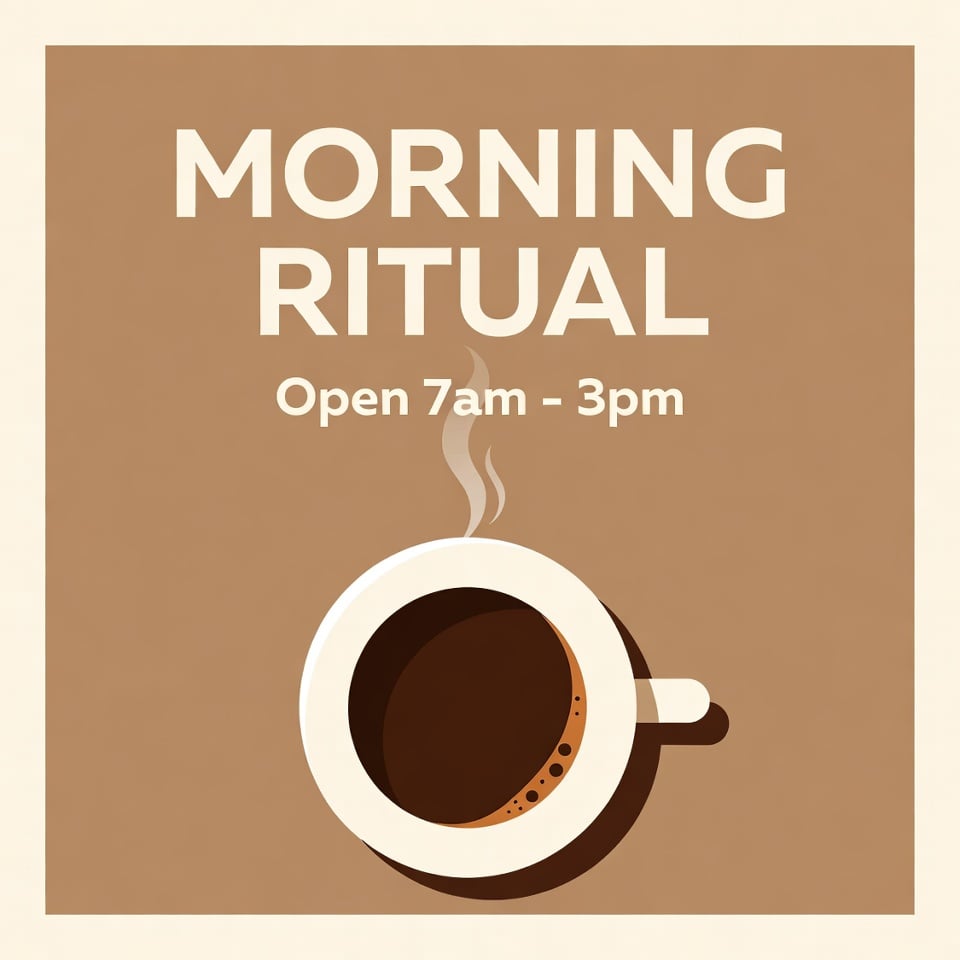 | 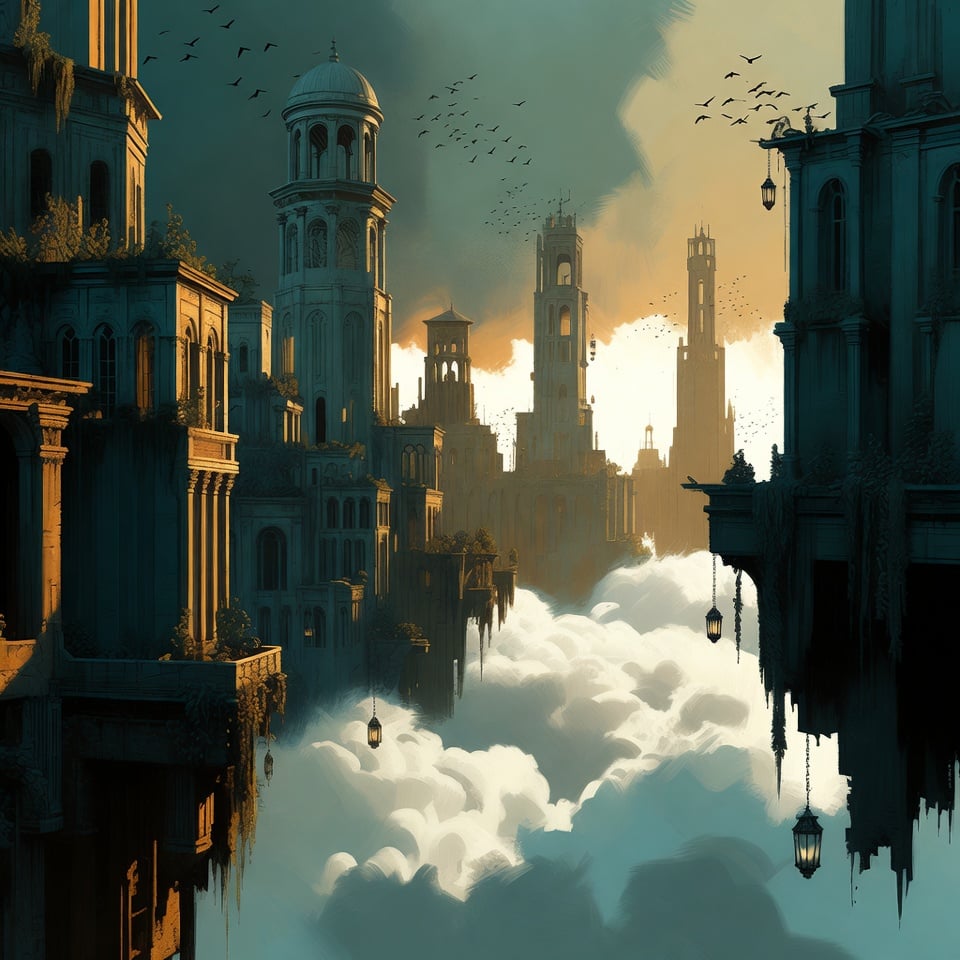 |
GPT Image 2 · Edit is the 12th model on this list and isn't in the grid — it's an image-to-image model, so it needs a source image and has nothing to do on a text-only prompt. Each model ran at the cheapest tier it allows, which is why native output sizes differ (Grok 960px, most models 1024px, GPT Image 1254px, Seedream 5 Lite 1920px, Qwen2 2048px). Midjourney ran at Fast rather than Draft, because Draft only outputs 512px and would have made the comparison unfair.
What the grid actually shows
Text is where the models split cleanly. Nine of the eleven wrote "MORNING RITUAL / Open 7am - 3pm" exactly right. The two that didn't are both Midjourney: V8.1 dropped the hyphen ("Open 7am 3pm"), and V7 produced a broken letter in "RITUAL" plus the garbled line "Open. ......... 7—3 pm 33 ppm". If your image has words in it, that one difference decides your model for you.
Prompt obedience and beauty are not the same skill. Both Midjourney models made the most striking portraits — and both dropped the harbour setting, cropping to a tight face against blurred light. Seedream 5 Pro was the most literal of the eleven, delivering every element asked for: dock, sunset, boats, coiled rope, nets. Nano Banana Pro, Seedream 5 Lite and Grok kept a readable harbour behind the subject; GPT Image 2 kept it but softened it into bokeh.
"Painterly" means different things to different models. The same concept-art prompt produced an oil painting (Nano Banana Pro), a dense illustration (Nano Banana 2), an atmospheric matte painting (both Midjourney), and a photoreal 3D render (Qwen2 — the one model that ignored "visible brushwork" entirely).
Cheaper doesn't mean worse. Nano Banana 2 Lite, the lightest model here, produced a portrait that stands up next to Pro's, and got the poster text exactly right.
The practical takeaway is the same as the rest of this article: no single model wins all three columns. That's the argument for running your prompt through several of them instead of committing to one.
The best AI image models, ranked
1. Nano Banana Pro — one of the most realistic
Google's most advanced image model (Gemini 3 Pro Image), and the one most reviewers call the best pick of 2026. Best-in-class photorealism, strong text rendering, and it handles infographics and multilingual layouts that other models still fumble. On AI Effect you get it without the Gemini app's daily cap.
Strengths: top-tier realism, accurate text, real-world knowledge
Watch for: can drift on very long, complex prompts
Best for: photorealistic images and professional work
2. Nano Banana 2 — the fast everyday realist
Google Gemini 2.5 Flash Image. Excellent everyday realism and image editing at a faster speed — a dependable default when you don't need Pro's heaviest lifting.
Strengths: great realism-to-speed ratio, strong editing
Watch for: a step below Pro on the hardest prompts
Best for: everyday high-quality images
3. Nano Banana 2 Lite — quick and light
The lighter Google model for fast, everyday images. Pick it when speed and low cost matter more than maximum fidelity.
Strengths: fast and efficient
Watch for: less detail than Pro / 2
Best for: quick drafts and bulk generation
4. GPT Image 2 — best for text and conversational editing
OpenAI's current image model (the one inside ChatGPT). Two things it does better than anything else: rendering clean, readable text inside images, and editing through plain conversation — just say "make the background darker." Excellent at following reference images and style transfers.
Strengths: best text rendering, chat-style editing, reference-image fidelity
Watch for: slower than diffusion models; one image at a time
Best for: posters, thumbnails, and anything with words
5. GPT Image 1.5 — the versatile all-rounder
The previous OpenAI generation — still a reliable, flexible model that handles a wide range of styles and prompts well. A safe pick when you want consistent OpenAI quality.
Strengths: consistent, versatile, good prompt following
Watch for: not the newest OpenAI model
Best for: general-purpose generation
6. GPT Image 2 · Edit — purpose-built for editing
Built for image-to-image work: bring a reference image and refine specific parts instead of starting from scratch. The model to pick when you already have an image and want to change, extend, or remix it.
Strengths: precise image-to-image editing
Watch for: needs a reference image to shine
Best for: editing and remixing existing images
7. Midjourney V8.1 — best for artistic, stylized images
The latest Midjourney, and still the leader for aesthetics — painterly, editorial, concept-art looks that other models don't quite match. On AI Effect you get it through a normal web interface, no Discord required.
Strengths: unmatched artistic quality and texture
Watch for: prompt accuracy trails Nano Banana / GPT Image
Best for: artistic, stylized, and concept images
8. Midjourney V7 — the classic MJ look
The Midjourney look a lot of users still love. Keep it in rotation when you want that signature V7 aesthetic.
Strengths: iconic Midjourney style
Watch for: older than V8.1
Best for: the classic Midjourney aesthetic
9. Seedream 5 Pro — accuracy and multilingual prompts
ByteDance's top image model. Standout prompt accuracy and strong multilingual understanding — including Chinese — so it shines when your prompt is long, detailed, or not in English.
Strengths: high prompt fidelity, strong non-English support
Watch for: less known than Google / OpenAI in the West
Best for: detailed and non-English prompts
10. Seedream 5 Lite — fast and efficient
The lighter Seedream for everyday generation — faster and cheaper, while keeping the family's prompt-following strength.
Strengths: fast and cost-efficient
Watch for: less detail than Pro
Best for: everyday generation at speed
11. Qwen2 — sharp and clean
Alibaba's Qwen image model. Produces clean, sharp, well-balanced images with a polished look even from simple prompts. A solid all-rounder with a slightly different aesthetic from the Google / OpenAI families.
Strengths: clean, sharp, well-composed output
Watch for: a step behind the leaders on the hardest prompts
Best for: clean, professional images
12. Grok Imagine — fast and trend-aware
xAI's image model. Fast and good at trend-aware, social-style visuals — handy for quick, punchy images.
Strengths: fast, trend-aware
Watch for: realism trails Nano Banana Pro / GPT Image 2
Best for: quick, social-style visuals
Which model should you pick?
Match your goal to a model:
You want… | Best model | Why |
|---|---|---|
Most realistic result | Nano Banana Pro | Top photorealism |
Text in the image | GPT Image 2 | Best text rendering |
Artistic / stylized look | Midjourney V8.1 | Best aesthetics |
Long or non-English prompt | Seedream 5 Pro | Best prompt fidelity + multilingual |
Edit an existing image | GPT Image 2 · Edit | Built for image-to-image |
Fast, everyday image | Nano Banana 2 or Seedream 5 Lite | Best speed-to-quality |
Quick, social-style visual | Grok Imagine | Fast and trend-aware |
How to use any of them on AI Effect
It's the same three steps for every model:
Click any Try button above — it opens the generator with that model already selected.
Type your prompt (and optionally add a reference image).
Generate — your image is ready in seconds. Download, edit, or turn it into a video.
No switching between apps, no separate subscriptions. One account, every top model.
Why use a multi-model platform instead of one tool?
Every model above has a personality. Nano Banana Pro is the most realistic; Midjourney is the most artistic; GPT Image 2 is the best with text; Seedream 5 Pro follows long prompts best. No single model wins at everything.
That's the case for a platform like AI Effect: instead of committing to one tool's model, you reach for whichever model fits each image. A realistic product shot? Nano Banana Pro. A poster with a headline? GPT Image 2. A dreamy concept piece? Midjourney V8.1. Same workspace, same credits, three different models.
Tips for better results in any model
Be specific about style. "Watercolor of a cat on a windowsill" beats "cat on windowsill."
Describe lighting and composition. "Soft golden-hour light, shallow depth of field" turns a generic image into a deliberate one.
Use reference images when a model supports it — it removes the guesswork.
Iterate. Great AI images rarely come on the first try — prompt, review, refine, repeat.
Frequently asked questions
There isn't one winner — it depends on the job. For realism, Nano Banana Pro. For text and editing, GPT Image 2. For artistic quality, Midjourney V8.1. For long or non-English prompts, Seedream 5 Pro. AI Effect lets you use all of them in one place.
Yes. AI Effect gives free credits on signup, and every model on this list is available to try with them. Click any Try button to open the generator with that model pre-selected.
No — that's the point of AI Effect. One account gives you access to all 12 models, from Google, OpenAI, Midjourney, ByteDance, Alibaba, and xAI.
GPT Image 2 renders the cleanest, most readable text. Nano Banana Pro is a strong second.
Nano Banana Pro (Google's Gemini 3 Pro Image) is the most realistic image model available on AI Effect in 2026.
If you want Midjourney's look without Discord, use Midjourney V8.1 on AI Effect. If you want a different aesthetic, Nano Banana Pro is more photoreal and GPT Image 2 handles text better.
Yes — GPT Image 2 · Edit is built for image-to-image editing. Bring a reference image and refine specific parts.
Pro for the best quality, 2 for the everyday balance of quality and speed, Lite for the fastest, lightest generation.
Yes — that's the main reason to use AI Effect. Write your prompt once, try it on Nano Banana Pro, GPT Image 2, Midjourney V8.1 and others, and keep whichever result you like best. No separate accounts, no stack of subscriptions.
Seedream 5 Pro (ByteDance) — it has the strongest multilingual understanding on the list, including Chinese, Japanese, and Korean, so it follows long non-English prompts best.
Yes — if you want Midjourney's look without Discord or a separate subscription, Midjourney V8.1 is right here on AI Effect alongside the other models.


