

A viral short video is never just a visual. It's a visual hooked to the right beat. The difference between a clip that scrolls past and one that gets rewatched and shared is almost always the soundtrack, yet most creators treat music as an afterthought they grab from a platform library at the last second.
That grab-and-go habit is also why so many shorts get muted, deprioritized, or stripped of monetization. In 2026 there's a cleaner workflow: generate the visual effect with aieffect.art, generate an original soundtrack with RaoMusic, and publish a short that's both attention-grabbing and copyright-safe.
Why Music Decides If a Short Goes Viral
Short-form platforms run on audio as much as video. TikTok, YouTube Shorts, and Instagram Reels all factor music into discovery, pushing trending sounds and keeping viewers past the critical first three seconds. A silent or mismatched track kills retention before your hook even lands.
But the music that performs best on these platforms is also the hardest to use safely:
- Trending commercial songs drive reach but trigger copyright detection, leaving uploads muted, removed, or with monetization redirected to the rights holder.
- Platform music libraries are "safe" but generic, and commercial-use rights vary by track, region, and account type, which can limit monetization on Shorts and Reels.
- TikTok Business Accounts are locked out of the mainstream library entirely, stuck with generic corporate-sounding tracks, the exact problem original AI music solves.
- Stock libraries carry the same overuse problem, with everyone using the same cues.
The fix is music that's both original and cleared for commercial use. AI-generated tracks typically don't match anything in copyright databases, so they don't trigger claims, and you keep full monetization.
AI Music for TikTok, Shorts & Reels: the 3-Step Workflow
1. Generate the visual with aieffect.art, applying a viral effect (dance, transformation, anime) or generating a clip from a prompt.
2. Generate original music with RaoMusic by describing the energy and tempo your short needs.
3. Combine and optimize for the first-3-second hook, beat-synced cuts, and captions.
Step 1 - Generate the Visual Effect with aieffect.art
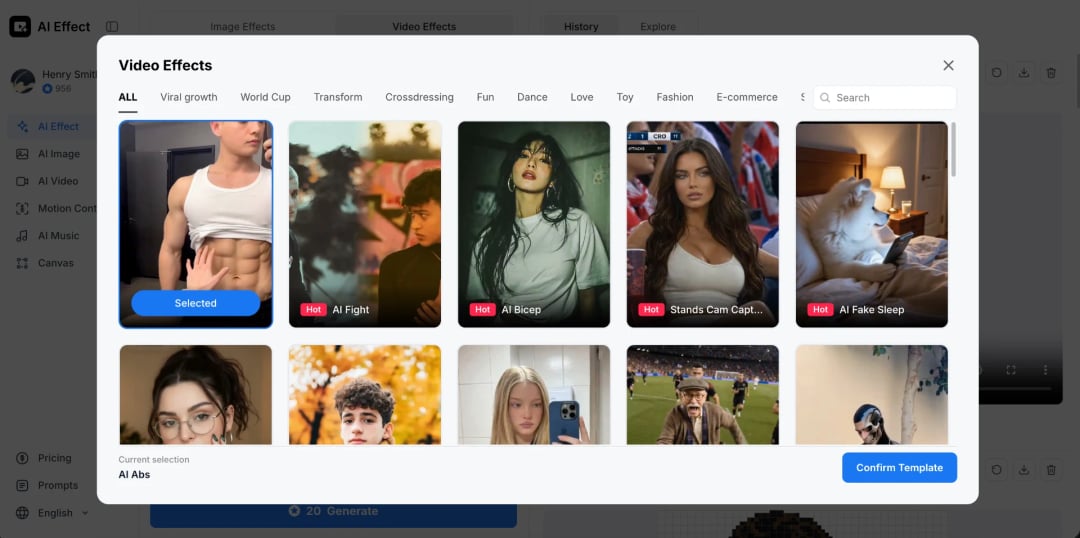
aieffect.art is built for exactly this: turning a photo or prompt into a viral visual in seconds, with 200+ effect templates covering dances, transformations, anime styling, and dynamic motion. No filming, no editing setup.
Quick steps:
Pick a photo or write a prompt for your scene.
Choose an effect template that matches your vibe (a dance transformation, an anime restyle, a dramatic motion effect).
Generate a few takes and pick the one with the strongest visual hook in the first second.
Export the clip.
You now have a visual that grabs attention. Next, make sure the audio does too.
Step 2 - Generate Original Music with RaoMusic
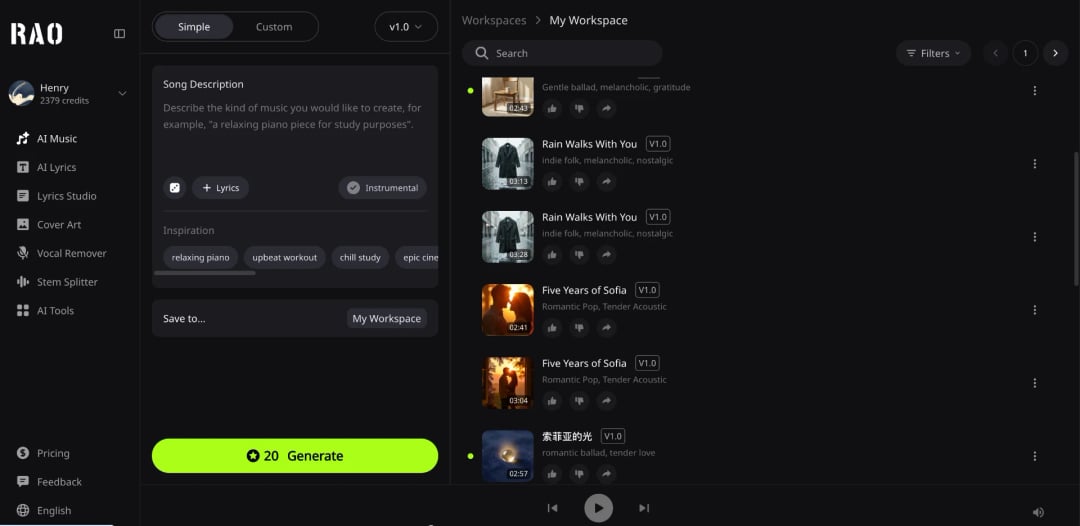
This is where the soundtrack comes from. I use RaoMusic here because it generates an original track matched to the effect's energy, complete with vocals, instruments, and song structure, and the commercial license means I keep full monetization.
For short-form, the prompt should focus on energy and the first three seconds:
- Energy curve. "Punchy and upbeat," "dark and hypnotic," "builds to a drop at 3 seconds."
- Tempo. Fast cuts want 120+ BPM; slower cinematic effects want 80–100.
- Hook first. Tell it to open strong; the first beat has to land immediately, with no time to ease in.
- Instrumental. If the short has a voiceover or on-screen text, skip vocals so they don't clash.
Generate two takes, preview them against your effect, and pick the one whose beat aligns with your key visual moment, usually the transformation or reveal.
Step 3 - Combine and Optimize for the Algorithm
Drop both into your editor (CapCut works great for shorts):
Place the aieffect visual on the timeline.
Add the RaoMusic track underneath.
3. Beat-sync: cut on the beats so visual changes land on the music's pulse.
4. Front-load the hook: make sure the strongest visual and the first beat hit within the first second.
Add captions (most shorts are watched muted at first; captions buy you the view long enough for the audio to kick in).
Export in 9:16, high quality.
That's it. No copyright strikes, no muted uploads, no digging through a library for something that almost fits.
How It Works in Practice
I tested this on a 7-second Shorts clip: a photo turned into an anime-style dance transformation via aieffect.art, scored with a punchy 128-BPM electronic track from RaoMusic. The beat-synced cut landed right on the transformation, and the upload passed Content ID with zero claims. The whole thing took about 8 minutes.
AI Music vs Platform Music Libraries
AI-generated music (RaoMusic) | Platform music libraries | |
Originality | Every track is unique | Generic, widely reused |
Copyright / Content ID | Typically no matches | "Safe" but limited commercial use |
Monetization | Keep full revenue (commercial license) | Often restricted on Shorts/Reels |
Fit | Prompted to match your exact scene | Pick from what's there |
Trending boost | An original sound can trend itself | Lost in the library |
For creators who want to monetize, original AI music is the safer default.
Three Viral Recipe Combos
Effect vibe | aieffect direction | RaoMusic prompt direction |
Dance transformation | Photo-to-dance, upbeat motion | "Punchy electronic, 128 BPM, drops at 3s, no vocals" |
Anime restyle | Photo-to-anime, dramatic | "Energetic J-pop instrumental, 130 BPM, bright" |
Cinematic reveal | Prompt-based, slow-motion, moody | "Cinematic build, 85 BPM, synth and strings, drops at 4s" |
Frequently Asked Questions
Yes. Original AI tracks typically don't trigger copyright claims. On YouTube Shorts, monetization runs through a Creator Pool where commercial-track licensing fees get deducted before your share; with original AI music you keep the full share instead of splitting it with a label. With RaoMusic's commercial license, that's monetization you don't lose to a rights holder.
Trending sounds help discovery, but they carry copyright and saturation risk. Original music can trend on its own merit, and it never gets your video muted. For monetizing creators, the tradeoff favors original.
Describe the energy and tempo, and anchor it to a specific moment like the transformation or reveal. Aim for the beat to land on that moment.
Yes, most platforms now require an AI-generated content label (TikTok's "AI-generated" tag, for example) for transparency. It doesn't affect monetization; it's just a disclosure. Always check each platform's current AI-labeling rules.
Not at all. You can create music with AI from a single prompt describing the vibe and tempo, and get a track built for your exact scene in minutes, no music theory needed.