
AI Video Editor Use Cases
Use existing footage as the base, then generate a new AI-edited version for content, ads, and creative tests.
Video to Anime
Turn real footage into anime, manga, or illustrative animation style while keeping the original motion.
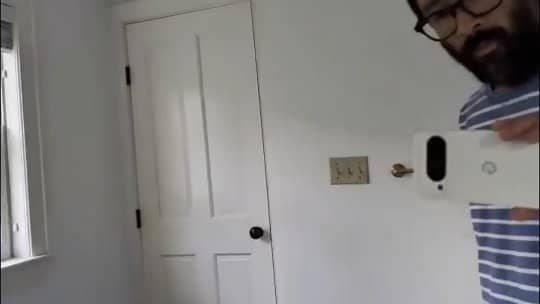
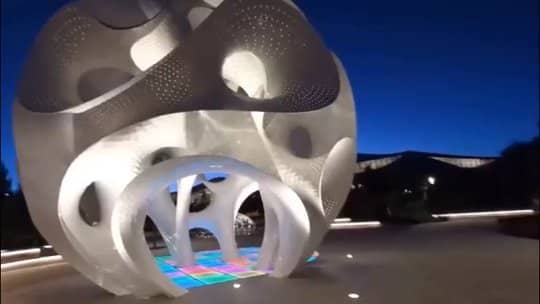
Scene Swap
Change the location, environment, weather, or visual mood of a clip without reshooting.
Social Variants
Refresh one source clip into multiple AI-edited versions for YouTube, TikTok, Reels, ads, and UGC tests.
How to Use the AI Video Editor
Upload your video clip
Start with an existing MP4 or MOV clip you want to edit, restyle, or turn into a new visual direction.
Describe the edit
Tell the AI video editor what to change, such as anime style, cinematic lighting, a new background, or a character swap.
Generate and download
Preview the AI-edited result, then download a ready-to-share video for YouTube, TikTok, Reels, or your campaign.
Why Use This AI Video Editor

Prompt-based video editing
Edit the overall look of a clip with plain text instead of timeline tools or complex masking.
Video-to-video transformation
Use your original footage as motion guidance while AI redraws style, scene, mood, or characters.
Online workflow
Upload, edit, and download in the browser, with no desktop video editing software to install.
Built for social variants
Turn one source clip into multiple versions for YouTube Shorts, TikTok, Reels, ads, and UGC tests.
Frequently Asked Questions
An AI video editor uses generative AI to transform existing footage from a text prompt. Upload a source clip and describe the new style, scene, or visual change you want.
Yes. AIEffect runs in the browser, so you can upload a video, enter a prompt, generate the edited version, and download the result without installing desktop software.
AI video editing uses credits because each generation is processed by AI models. If your account has available credits, you can use them first; paid credits are available when you need more output.
It works best for broad visual transformations such as anime style, cinematic lighting, background changes, mood shifts, character looks, and refreshed social media versions.
Yes. It is useful for turning one source clip into multiple creative variations for Shorts, TikTok, Reels, ads, motion thumbnails, and UGC tests.
Most short clips finish in a few minutes. Longer duration, higher resolution, and model availability can affect processing time.
More AI Tools
Edit Video with the AI Video Editor
Upload your source clip, describe the change, and generate a new AI-edited version online.