
Grok Imagine 1.5 AI Image Generator with Accurate Prompt Adherence
Create AI images from text or edit a photo with one reference image. Grok Imagine 1.5 follows long, detailed prompts closely—up to 5,000 characters—and typically returns one PNG image in about a minute. Try it free on AI Effect, no subscription.
Generate and Edit Images with Grok Imagine 1.5
Turn detailed text prompts into AI images or edit a photo using a single reference image, across 5 aspect ratios for social posts, product visuals, ads, and web content.
Text to Image
Describe the subject, scene, style, colors, composition, and details you want. Grok Imagine 1.5 converts prompts up to 5,000 characters into one PNG image per generation.
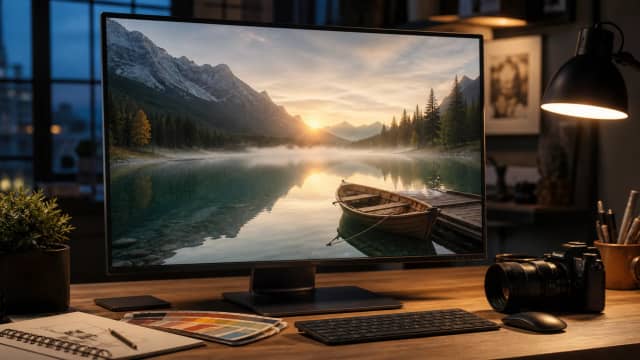

Accurate Prompt Adherence
Use longer, layered prompts for complex scenes. Grok Imagine 1.5 is designed to follow detailed instructions closely, so the result stays aligned with your description.
Image to Image with One Reference Photo
Upload one reference photo to guide the style, subject, or composition of a new image, then describe what you want changed or preserved.
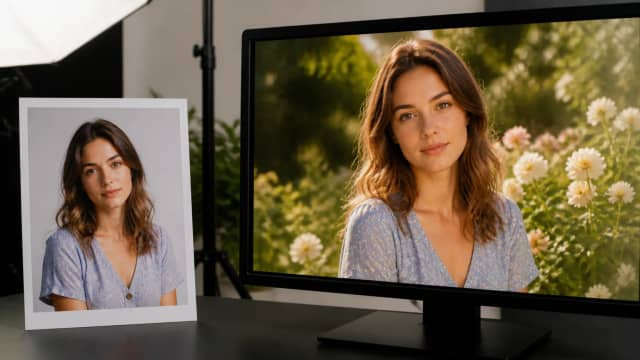
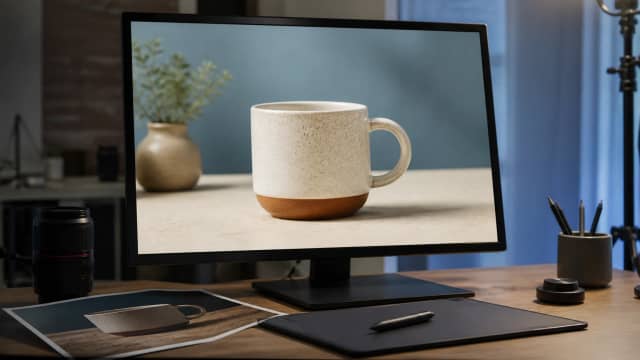
Photo Editing
Edit an existing photo by using it as the reference image—describe changes such as a new background, added or removed objects, or a different visual style.
5 Aspect Ratios
Choose 1:1, 2:3, 3:2, 16:9, or 9:16 for square posts, portraits, landscapes, widescreen visuals, and vertical social formats.
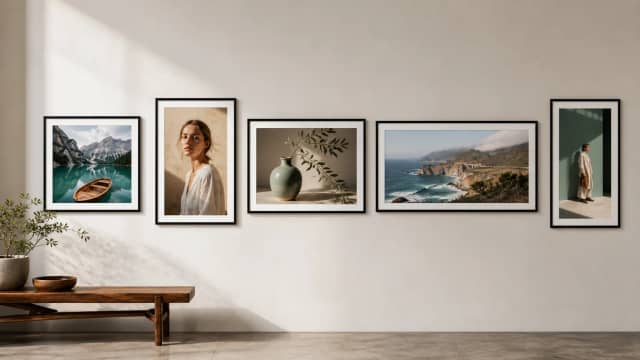
Why Use Grok Imagine 1.5 on AI Effect
AI Effect gives you Grok Imagine 1.5 in a flexible image generation workflow, with free trial credits and pay-as-you-go pricing—no subscription.

Strong Long-Prompt Following
Grok Imagine 1.5 works well with detailed prompts up to 5,000 characters, making it useful for scenes with specific subjects, styles, layouts, and instructions.
One Reference Photo
Upload a single reference image to guide the output when you want to edit a photo or keep visual direction more consistent.
5 Aspect Ratios
Create images in 1:1, 2:3, 3:2, 16:9, or 9:16 to match common formats for social media, websites, ads, and product pages.
PNG Output
Download generated images as PNG files for use in content, campaigns, mockups, product visuals, and creative drafts.
About a Minute per Image
Each generation produces one image and typically completes in around a minute, so you can review it and keep refining your prompt.
Free Trial, Then Pay As You Go
Start with free trial credits. After that, buy credits as needed with pay-as-you-go pricing and no subscription required.
How to Use Grok Imagine 1.5 on AI Effect
Enter a Detailed Prompt
Describe the image you want, including the subject, setting, style, colors, lighting, composition, and key details. Prompts can be up to 5,000 characters.
Choose Text-to-Image or Image-to-Image
Generate a new image from text, or upload one reference photo to guide an edit. Pick one of 5 aspect ratios: 1:1, 2:3, 3:2, 16:9, or 9:16.
Review and Download
Check the generated PNG, adjust your prompt if needed, run a new generation, and download the final result for social media, ads, websites, or product content.
Grok Imagine 1.5 AI Generator FAQ
Grok Imagine 1.5 is an xAI image generation and editing model available on AI Effect. It creates images from text prompts and edits photos using one reference image, with a focus on following long, detailed prompts closely.
AI images from text prompts, or edited photos using one reference image. Common uses include social media visuals, ad concepts, product images, website graphics, character ideas, and creative drafts.
Grok Imagine 1.5 is the newer release. On AI Effect, it generates an image in about a minute and supports one reference photo. The earlier Grok Imagine supports up to 5 reference images. Both accept up to 5,000-character prompts and the same 5 aspect ratios.
Grok Imagine 1.5 supports prompts up to 5,000 characters, so you can include detailed instructions for subject, scene, style, layout, lighting, colors, and other visual elements.
You can upload one reference image to guide the style, subject, composition, or photo edit.
It supports 5 aspect ratios: 1:1, 2:3, 3:2, 16:9, and 9:16—covering square, portrait, landscape, widescreen, and vertical formats.
No. Output size is set by the aspect ratio you choose, so resolution is not a separate setting. Pick the ratio that fits your target platform and the image is generated at the matching dimensions.
Grok Imagine 1.5 outputs images as PNG files.
Yes. Upload one photo as the reference image and describe the changes—adjust details, change the background, add or remove objects, or apply a different visual style.
It typically returns one image in about a minute, so you can review it and keep refining your prompt.
Each generation produces one image. To explore another result, adjust your prompt and run a new generation.
AI Effect offers free trial credits for new users. After that, Grok Imagine 1.5 is available with pay-as-you-go credits and no subscription required.
You can use generated images in many commercial workflows, such as marketing, e-commerce, social media, and brand content. Avoid copyrighted characters, protected logos, celebrity likenesses, or brand assets you do not have rights to use.
All-in-One AI Creator for Images & Videos
Create images and videos from text, images, or clips with leading AI models. No subscription — just pay as you go with credits that never expire.
 GPT Image 2.0
 GPT Image 1.5
 Nano Banana 2Nano Banana 2 Lite
 Nano Banana Pro
 Veo 3.1Gemini Omni
 Seedance 2.5Seedance 2.0Seedance 2.0 Mini
 Seedream 5 LiteSeedream 5 Pro
 Seedance 1.5 Pro
 Grok Imagine 1.5Grok Imagine
 Qwen2Qwen3
 Hailuo 2.3Minimax H3
 Kling 3.0Kling 2.6Kling O3
 Happyhorse 1.0Happyhorse 1.1
 Midjourney V7Midjourney V8.1
 Pixverse v6
 Flux 2 ProFlux 3 Video
Try Grok Imagine 1.5 Free
Generate detailed AI images from text or edit a photo with one reference image on AI Effect—prompts up to 5,000 characters, 5 aspect ratios, one PNG per generation in about a minute.