
MiniMax H3 AI Video Generator for 2K Video with Native Audio
Create fixed-2K AI videos with MiniMax H3 on AIEffect. Generate 4-15 second clips from text, images, start and end frames, or rich references-up to 9 images, 3 videos, and 3 audio clips. Native audio is included every time. No subscription, pay as you go.
Create with MiniMax H3
Use text to video, image to video, start and end frames, or multi-reference inputs. Every MiniMax H3 clip is generated in 2K with native audio.
Text to Video
Turn a written prompt into a 2K video clip with native audio, including dialogue, sound effects, and ambience.
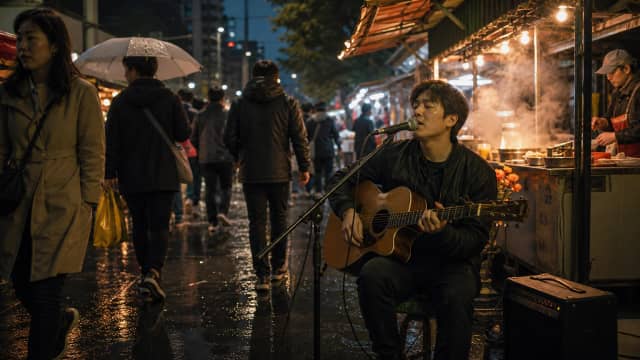
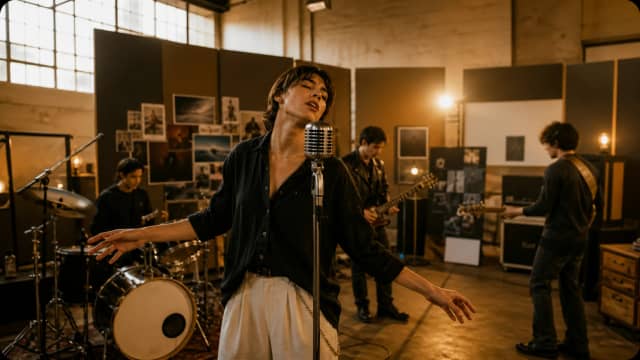
Image to Video & References
Use an image as the first frame, or add up to 9 reference images, 3 reference videos, and 3 reference audio clips to guide characters, style, motion, and sound.
Start & End Frame
Upload a first frame and a last frame to define where your clip begins and ends. MiniMax H3 generates the motion and native audio between them.

Why Use MiniMax H3 on AIEffect

Native Audio in Every Clip
MiniMax H3 automatically generates dialogue, sound effects, and ambience with every clip. Audio cannot be turned off.
Fixed 2K Resolution
Every MiniMax H3 generation is 2K-higher than 1080p, with no lower-resolution option.
Rich Multi-Reference Inputs
Add up to 9 reference images, 3 reference videos, and 3 reference audio clips to guide characters, scenes, styles, and sound.
4-15 Second Clips
Create short AI video clips with native audio across the full duration.
6 Aspect Ratios
Generate in 16:9, 9:16, 1:1, 4:3, 3:4, or 21:9 for horizontal, vertical, square, and widescreen formats.
No Subscription, Pay as You Go
Pay as you go and get billed per second. Text-to-video and image-to-video cost the same per second.
How to Generate a MiniMax H3 Video
Choose Your Input
Start with text to video, image to video, start and end frames, or multi-reference inputs.
Add Your Prompt and Assets
Write up to 7,000 characters and upload any supported images, videos, audio clips, or first and last frames.
Generate Your Clip
MiniMax H3 creates a 2K video with native audio. Generation takes about 8 minutes.
FAQ
MiniMax H3 is MiniMax’s Hailuo AI video generator that creates 2K videos with native audio from text, images, frames, and reference assets.
No. AIEffect is pay as you go, so you can generate MiniMax H3 videos without a monthly subscription.
Yes. MiniMax H3 generates native audio with every video, including dialogue, sound effects, and ambience. Audio cannot be turned off.
MiniMax H3 clips can be 4 to 15 seconds long.
MiniMax H3 always outputs 2K video, which is higher than 1080p.
16:9, 9:16, 1:1, 4:3, 3:4, and 21:9.
Up to 9 reference images, 3 reference videos, and 3 reference audio clips.
Yes. Upload a first frame and a last frame to guide the beginning and ending of the generated video.
Generation takes about 8 minutes per clip.
Billed per second of video, with no subscription. Text-to-video and image-to-video are the same price per second.
Yes. Upload an image as the first frame, then prompt MiniMax H3 to generate the motion and native audio.
No. Native audio is generated with every MiniMax H3 video and cannot be turned off.
All-in-One AI Creator for Images & Videos
Create images and videos from text, images, or clips with leading AI models. No subscription — just pay as you go with credits that never expire.
 GPT Image 2.0
 GPT Image 1.5
 Nano Banana 2Nano Banana 2 Lite
 Nano Banana Pro
 Veo 3.1Gemini Omni
 Seedance 2.5Seedance 2.0Seedance 2.0 Mini
 Seedream 5 LiteSeedream 5 Pro
 Seedance 1.5 Pro
 Grok Imagine 2.0Grok Imagine 1.5Grok Imagine
 Qwen2Qwen3
 Hailuo 2.3Minimax H3
 Kling 3.0Kling 2.6Kling O3
 Happyhorse 1.0Happyhorse 1.1
 Midjourney V7Midjourney V8.1
 Pixverse v6
 Flux 2 ProFlux 3 Video
Create 2K MiniMax H3 Videos with Native Audio
Use text to video, image to video, start and end frames, or rich references. Generate 2K clips with native audio and pay as you go with no subscription.