
Seedance 2.5: Native 30-Second AI Video You Can Direct
Stop stitching clips. Seedance 2.5 is ByteDance's AI video generator: native 30-second clips, up to 50 references, local editing, and synced audio, right in your browser on AIEffect.
From Prompting to Directing
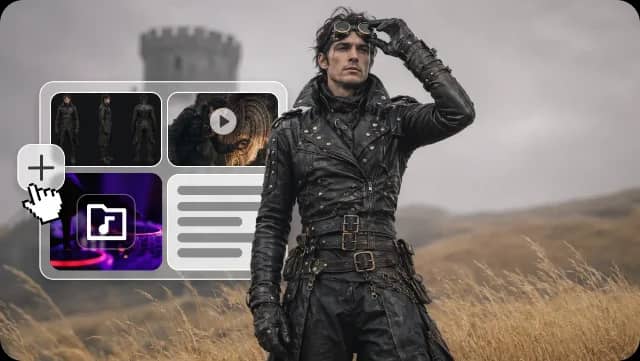
Direct Every Frame with Up to 50 References
Upload up to 50 reference assets, including images, video clips, audio, and style boards, and Seedance 2.5 locks your subject, scene, character, and mood to them. You set the direction, so the model follows a clear visual brief rather than guessing.
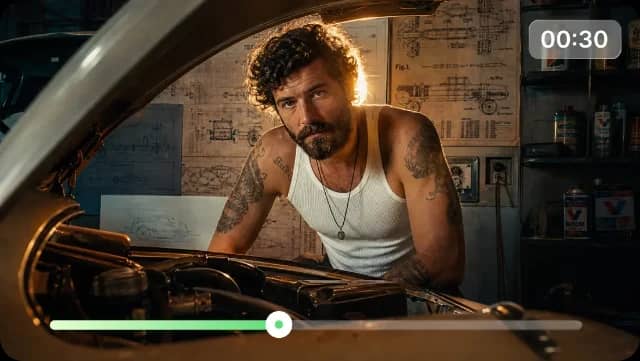
Native 30-Second Clips in One Pass
Generate up to 30 seconds in a single pass, with scene changes and tempo shifts built in. You get one continuous clip that is easier to review, edit, and publish, rather than a chain of short shots joined at visible seams.
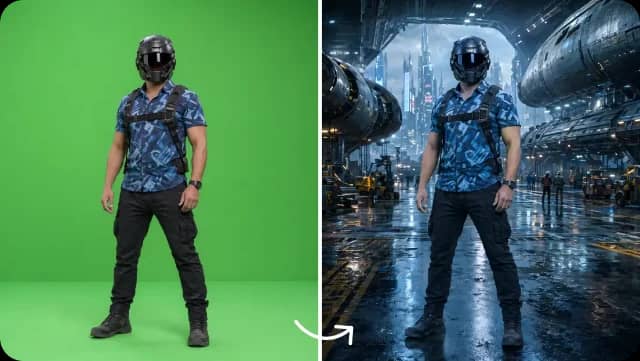
Characters and Products That Hold Steady
Keep the same person, mascot, or product recognizable across shots and scenes. Seedance 2.5 helps maintain character consistency, keeping facial features, products, and visual identity steady so a lead does not morph between cuts. It works best with clear, high-quality reference images.
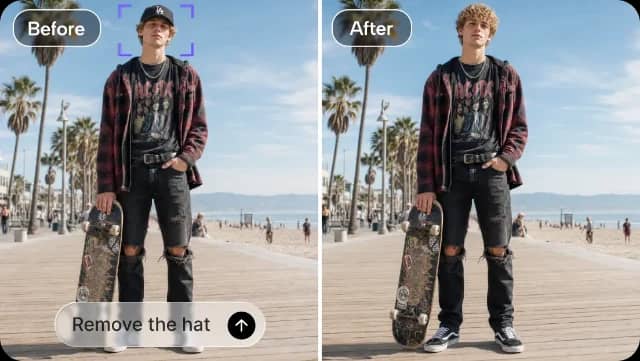
Refine One Region, Keep the Rest
Select a specific area and change just that, fix an artifact or swap an element, while keeping the rest of the scene unchanged. Small fixes become a quick edit rather than a full reroll. This is the control brands asked for when one off detail used to cost a whole regeneration.
Audio That Lands in Sync
Generate AI video with native audio, sound effects, and ambience produced alongside the visuals, so the sound stays aligned with the action. Add a voice reference and the model can support synchronized speech. It cuts the separate audio pass you used to need.
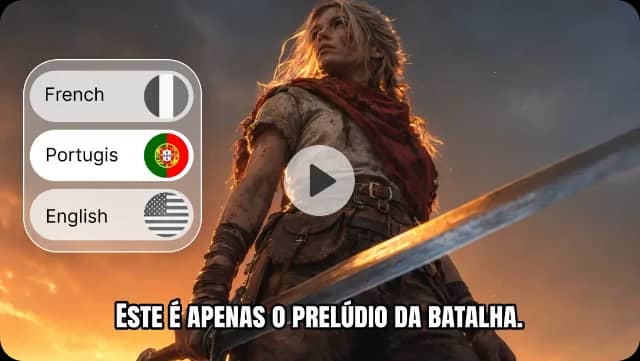
Why Creators Choose AIEffect for Seedance 2.5

Run It in Your Browser
No app to download and no setup. Open AIEffect, pick Seedance 2.5, and start creating from any device.
One Workspace, Every Top Model
AIEffect puts Seedance 2.5, Seedance 2.0 mini, Veo, Sora, and more in one place. No bouncing between accounts and tabs.
Compare Models Side by Side
Run the same prompt through Seedance 2.5 and Veo in one workspace and pick the output that wins. Compare outputs without switching between multiple tools or browser tabs.
Pick the Right Model per Shot
Use different models for different creative tasks without leaving the same workspace. Rough out ideas with 2.0 mini, use 2.5 on the shots that matter, and reach for Veo or Sora when a scene needs their edge.
Beginner-Friendly, Pro-Level Control
If you can describe a scene in a sentence, you can make a video. Reference inputs and camera-move prompts give experienced creators the precision they expect.
Export for Anywhere
Download finished videos in landscape or vertical, ready for Reels, TikTok, YouTube Shorts, ads, or your site.
Who Seedance 2.5 Is For

Social Media Creators
Turn out 30-second clips for Reels, TikTok, and YouTube Shorts without the jump-cut fatigue. Hold one character or style across a whole series of posts.
Marketers and Ad Teams
Build brand-safe ads with consistent characters and products across an entire campaign. Test directions fast, then refine the winner with local editing rather than regenerating from scratch.
Ecommerce and Product Teams
Turn product photos into motion, reuse the same product look across channels, and generate reveal videos without a shoot.
Filmmakers and Concept Artists
Storyboard, pre-visualize, and build short cinematic scenes with real control over mood, camera, and character.
Create Your First 30-Second Video in 3 Steps
Pick Seedance 2.5 and Add References
Open AIEffect, choose Seedance 2.5, and upload up to 50 references: a product image, a style board, a shot reference, an audio track, whatever should anchor the result. You can also start from text alone.
Write Your Prompt
Describe the subject, action, scene, camera move, lighting, and mood. The more specific you are, the closer the output lands to your idea.
Generate, Refine Locally, and Export
Get your full-length clip, use local editing to fix specific regions, then export in the ratio and resolution you need.
All-in-One AI Creator for Images & Videos
Create images and videos from text, images, or clips with leading AI models. No subscription — just pay as you go with credits that never expire.
 GPT Image 2.0
 GPT Image 1.5
 Nano Banana 2.1Nano Banana 2Nano Banana 2 Lite
 Nano Banana Pro
 Veo 3.1Gemini Omni
 Seedance 2.5Seedance 2.0Seedance 2.0 Mini
 Seedream 5 LiteSeedream 5 Pro
 Seedance 1.5 Pro
 Grok Imagine 2.0Grok Imagine 1.5Grok Imagine
 Qwen2Qwen3
 Hailuo 2.3Minimax H3
 Kling 3.0Kling 2.6Kling O3
 Happyhorse 1.0Happyhorse 1.1
 Midjourney V8.2Midjourney V8.1Midjourney V7
 Pixverse v6
 Flux 2 ProFlux 3 VideoFlux 3 Image
 Mai Image 2.6
Frequently Asked Questions
It is ByteDance's AI video model, built around control. It turns text prompts, images, and references into high-quality video, with native clips up to 30 seconds, up to 50 multimodal references, local region editing, and native synced audio.
2.5 generates up to 30 seconds in one clip where 2.0 tops out around 15 and often needs stitching. It accepts up to 50 references versus 2.0's much smaller cap, and adds local editing so you can fix a region without regenerating the whole video. Use 2.5 for longer, more controlled work; use 2.0 mini to save credits on quick clips.
You guide the result with up to 50 references, such as a product photo, a style image, a video that sets the motion, and an audio track. This multi-reference AI video generation anchors the subject, look, movement, and pacing to your inputs, so the video stays close to your intent. The feature is sometimes called multi-reference creation.
Yes. Seedance 2.5 supports local editing (also called regional editing), which lets you select a specific region and change just that part, like fixing an artifact or swapping an element, without regenerating the whole clip. It turns small fixes into a quick edit rather than a full redo.
Yes. Sound, effects, and ambience are generated alongside the video and stay in sync with the action, so you skip a separate audio pass. Complex voiceover and lip-sync still benefit from a good audio reference.
Add a character or product reference, and Seedance 2.5 helps maintain character consistency across shots and scenes, keeping drift low. It works best with clear, high-quality reference images.
Each model leads on a different strength. Google Veo leads on fluid physics, cloth, and benchmark quality. OpenAI Sora leads on motion smoothness. Kling offers strong resolution and a free tier. Seedance 2.5 leads on native clip length, reference count, and brand consistency across a campaign. On AIEffect you can run all of them in one workspace and pick the winner per shot.
No. Seedance 2.5 runs in your browser on AIEffect, so there is no app or software to install. Open the page, pick the model, and start creating
Start Directing with Seedance 2.5
Turn prompts, images, and references into controllable 30-second AI videos with local editing and native audio. Start creating with Seedance 2.5 on AIEffect.