
Seedream 5.0 AI Image Generator
Create high-quality AI images from simple prompts with Seedream 5.0 on AI Effect. Generate product visuals, posters, social media graphics, character concepts, and marketing images with better prompt understanding and visual consistency.
Generate Images with Seedream 5.0
Use Seedream 5.0 to turn prompts into polished AI images for marketing, e-commerce, social media, storytelling, and creative design.
Text to Image
Describe your idea, subject, style, layout, lighting, and mood. Seedream 5.0 turns your prompt into a high-quality AI image.
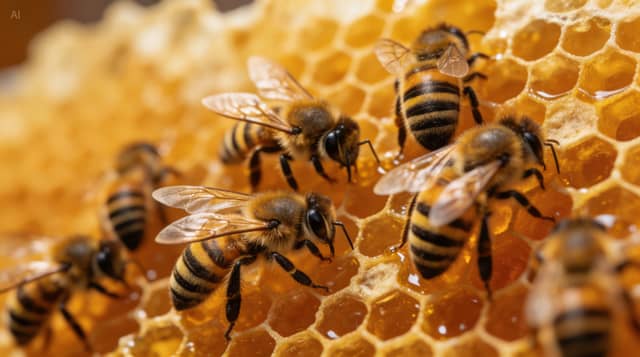
Product Image Generation
Create product shots, lifestyle scenes, promotional visuals, and clean marketing images from simple descriptions or references.
Poster and Social Graphics
Generate thumbnails, campaign images, posters, banners, and shareable visuals for social media and ads.
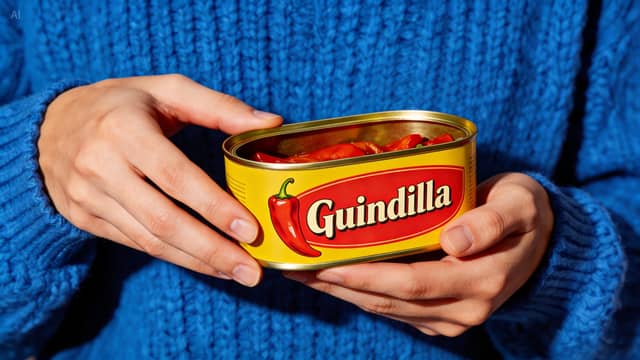
Consistent Character Images
Use reference images to create visuals with a similar character, face, outfit, product style, or creative direction across multiple generations.
Prompt-Aware Image Creation
Seedream 5.0 is useful for prompts that need stronger understanding of style, composition, lighting, and visual relationships.
Best Use Cases for Seedream 5.0

E-Commerce Product Images
Create product lifestyle shots, clean catalog visuals, promotional images, and seasonal campaign graphics without arranging a full photoshoot.
Marketing and Ad Creatives
Generate campaign visuals, product banners, launch graphics, ad concepts, and brand-style images for testing different creative directions.
Social Media Content
Create scroll-stopping images for Instagram, TikTok, Pinterest, YouTube thumbnails, newsletters, blogs, and creator posts.
Character and Story Visuals
Build character concepts, storyboards, cinematic frames, fantasy scenes, and visual narratives with more consistent style and subject identity.
Posters and Text-Based Designs
Create posters, flyers, menu concepts, infographics, and promotional designs that include short text or structured layout elements.
Fast Creative Concept Testing
Quickly test styles, compositions, product angles, lighting moods, and campaign directions before spending time on final production.
Why Use Seedream 5.0 on AI Effect
AI Effect gives you access to Seedream 5.0 inside a flexible AI creation platform, so you can generate images without another monthly subscription.

Better Prompt Understanding
Seedream 5.0 is useful for prompts that require stronger interpretation of lighting, layout, style, mood, and visual relationships.
Great for Product and Marketing Visuals
Create product shots, campaign images, ad concepts, and branded content ideas faster than manual design from scratch.
Useful for Consistent Visual Series
Generate images with similar characters, products, style, or creative direction across multiple outputs.
Supports Text-Based Design Workflows
Create posters, infographics, banners, labels, and social graphics that include short text or layout instructions.
Fast Image Creation for Iteration
Generate multiple visual directions quickly, compare results, and refine the version that best matches your idea.
Free Trial, Then Pay As You Go
New users can start with free trial credits. After that, use pay-as-you-go credits with no subscription required.
How to Use Seedream 5.0 on AI Effect
Enter Your Prompt
Describe the image you want to create. Include the subject, style, mood, lighting, layout, background, and any text or visual details you need.
Add References or Style Direction
Upload a reference image if you want to guide the character, product, composition, or visual style. You can also describe the exact aesthetic in plain language.
Generate, Refine, and Download
Seedream 5.0 creates your image. Review the result, generate variations, refine details if needed, and download the final visual for your store, website, ad, or social post.
Seedream 5.0 AI Image Generator FAQ
Seedream 5.0 is an AI image generation model designed to create high-quality images from text prompts and visual references. It is useful for product images, posters, social graphics, character visuals, and marketing content.
Yes. You can enter a prompt describing your subject, style, scene, lighting, layout, and mood, then generate an AI image from that description.
Yes. You can use reference images to guide the output, such as a character, product, visual style, pose, color palette, or composition.
Yes. Seedream 5.0 is useful for product lifestyle shots, promotional visuals, clean backgrounds, campaign images, and e-commerce content.
Yes. You can use reference images and detailed prompts to help create visuals with similar characters, outfits, faces, styles, or visual direction across multiple generations.
Yes. Seedream 5.0 can be used for posters, banners, infographics, labels, and social graphics that include short text. For best results, keep the text clear, concise, and easy to read.
No. You can describe what you want in plain language, generate an image, and refine it with follow-up prompts or variations.
AI Effect offers free trial credits for new users, so you can try Seedream 5.0 before purchasing more credits. After the free credits are used, you can continue with pay-as-you-go pricing. No subscription is required.
Free trial credits are designed to help new users start creating, but they may not cover every model, every generation type, or heavy usage. Some advanced generations may require additional credits.
Seedream 5.0 uses AI Effect credits. You pay only when you generate, with no monthly subscription required.
You can use generated images for many commercial workflows, such as marketing, e-commerce, social media, and brand content, but you should avoid copyrighted characters, protected logos, celebrity likenesses, or brand assets you do not have rights to use.
All-in-One AI Creator for Images & Videos
Create images and videos from text, images, or clips with leading AI models. No subscription — just pay as you go with credits that never expire.
 GPT Image 2.0
 GPT Image 1.5
 Nano Banana 2Nano Banana 2 Lite
 Nano Banana Pro
 Veo 3.1Gemini Omni
 Seedance 2.5Seedance 2.0Seedance 2.0 Mini
 Seedream 5 LiteSeedream 5 Pro
 Seedance 1.5 Pro
 Grok Imagine 2.0Grok Imagine 1.5Grok Imagine
 Qwen2Qwen3
 Hailuo 2.3Minimax H3
 Kling 3.0Kling 2.6Kling O3
 Happyhorse 1.0Happyhorse 1.1
 Midjourney V7Midjourney V8.1
 Pixverse v6
 Flux 2 ProFlux 3 Video
Try Seedream 5.0 with Free Credits
Create product images, posters, social graphics, character visuals, and marketing assets with Seedream 5.0 on AI Effect.