
GPT Image 2.6 AI Image Generator
Create and edit images with GPT Image 2.6, OpenAI's newest image model, released in November 2026. Choose Flare for fast everyday generation or Sunburst for detailed, consistent edits. Add up to 16 reference images, and download PNG images, SVG vector graphics, or animated GIFs. Start free on AI Effect, pay as you go.
What You Can Make with GPT Image 2.6
One model for still images, vector graphics, and short animations: generate from text, edit with references, and export in the format you need.
Text to Image
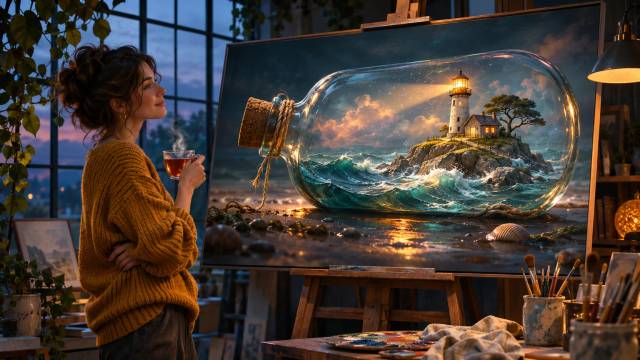
Describe the subject, scene, style, and layout you want. GPT Image 2.6 turns detailed prompts into polished images in square, portrait, landscape, or ultra-wide 21:9 frames.
Edit with Up to 16 References
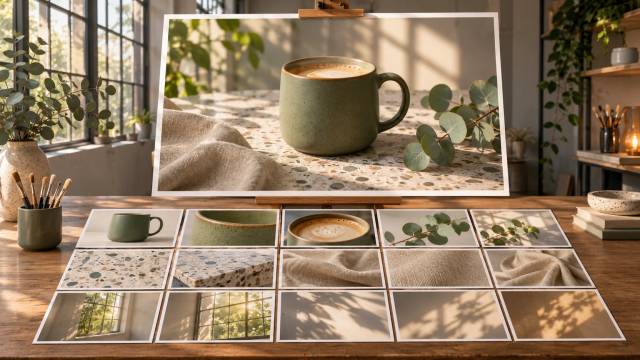
Upload photos and describe the change: put your product into a new scene, swap a background, match a style, or combine people and objects from several images into one shot.
SVG Vector Graphics
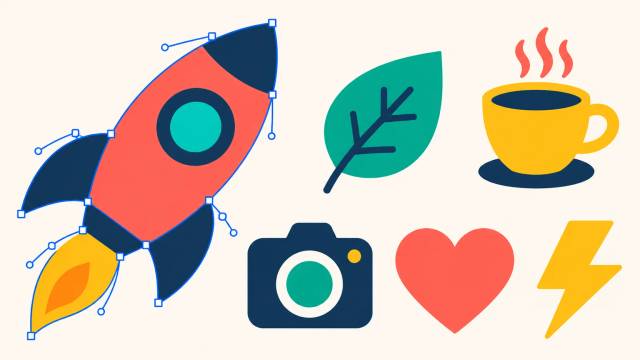
Generate icons, logos, and flat illustrations as SVG files that stay sharp at any size and can be edited in Figma, Illustrator, or a code editor.
Animated GIFs
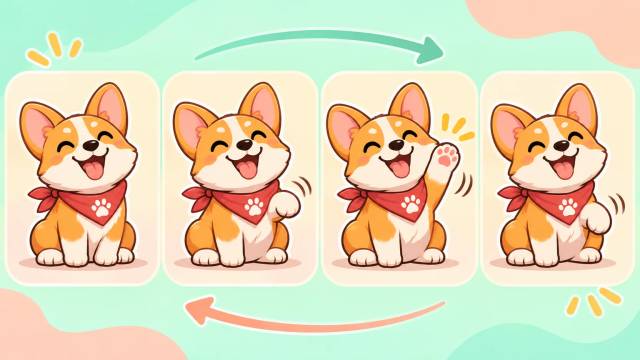
Describe a short motion, like a waving mascot or a blinking logo, and get a looping GIF that is ready for chats, stickers, and social posts.
Clear Text in Images
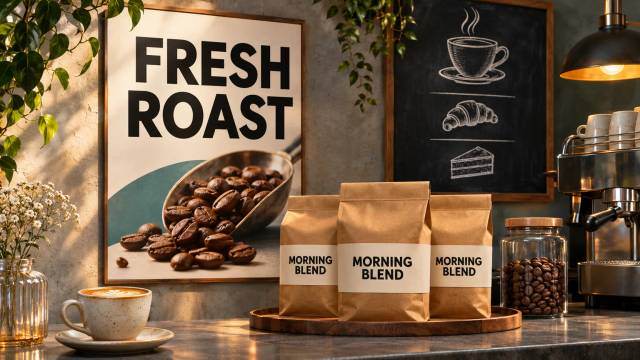
Make posters, ads, menus, labels, and UI mockups with readable text. The GPT Image family is known for placing and spelling words inside images reliably.
Why Use GPT Image 2.6 on AI Effect
OpenAI's newest image model in a simple web generator: free trial credits, pay as you go, no subscription.

OpenAI's Newest Image Model
GPT Image 2.6 was released by OpenAI on November 4, 2026, replacing GPT Image 2.5. OpenAI says it generates images about 50% faster than the previous version.
Flare or Sunburst
Switch versions in one click. Flare is tuned for speed and quick iteration. Sunburst is tuned for detail and keeps edits more consistent with your original image.
PNG, SVG, and GIF Output
Download standard PNG images, scalable SVG vector files, or animated GIFs from the same model. SVG and GIF are created from text prompts.
Up to 16 Reference Images
Attach up to 16 photos in one generation to keep products, characters, and styles consistent across a whole set of visuals.
10 Aspect Ratios
Pick 1:1, 4:5, 3:4, 2:3, 9:16, 5:4, 4:3, 3:2, 16:9, or 21:9, or let the model match your reference image automatically.
No Subscription, Pay As You Go
Buy credits only when you generate. Quality level and output format do not change the price per image.
How to Use GPT Image 2.6 on AI Effect
Write a Prompt or Upload Photos
Describe what you want, including any text that should appear in the image. To edit or combine photos, upload up to 16 reference images.
Choose Version and Format, Then Generate
Pick Flare or Sunburst, a quality level, an aspect ratio, and PNG, SVG, or GIF output. Most images are ready within a couple of minutes.
Download Your Image
Review the result, adjust your prompt if needed, and download the file for social media, ads, your website, or design work.
FAQ
GPT Image 2.6 is OpenAI's newest AI image model, released on November 4, 2026. In ChatGPT it is called ChatGPT Images 2.6. It generates images from text, edits photos with reference images, and adds SVG and animated GIF output.
Flare is the faster version, built for everyday generation and quick iteration. Sunburst focuses on detail and keeps edits more consistent with the original image, which helps with product shots, text-heavy designs, and precise changes. Both cost the same on AI Effect.
GPT Image 2.6 adds SVG vector output and animated GIFs, and OpenAI says it generates images about 50% faster. Sunburst also keeps edits more consistent. The Flare and Sunburst version names stay the same.
Yes. New accounts get free trial credits on AI Effect. After that you buy credits as you go, with no subscription.
Yes. Choose SVG as the output format and describe what you need, such as an icon, logo, or flat illustration. SVG files stay sharp at any size and can be edited in design tools. SVG is generated from text only, so reference images are not used.
Yes. Choose GIF and describe the motion and how it loops, for example "a cartoon puppy waves its paw, then returns to the starting pose, seamless loop". GIFs are generated from text only and use an automatic aspect ratio.
Yes. Upload up to 16 reference images and describe the change, such as a new background, an added or removed object, or a different style. When you mention several images, you can refer to them in order, like "the first image" and "the second image".
Yes. GPT Image models are strong at readable, correctly spelled text for posters, labels, and mockups. Very small or dense text can still come out wrong occasionally, so check it before you publish.
Ten aspect ratios plus auto, at standard 1K resolution: for example 1024×1024 for 1:1, 1536×864 for 16:9, 864×1536 for 9:16, and 2016×864 for 21:9.
Most images are ready within about two minutes. Sunburst and higher quality levels can take a little longer. You can keep working while generations run.
No. AI Effect is pay as you go. You only spend credits when you generate, and quality level or output format does not change the price.
All-in-One AI Creator for Images & Videos
Create images and videos from text, images, or clips with leading AI models. No subscription — just pay as you go with credits that never expire.
 GPT Image 2.6GPT Image 2.5GPT Image 2.0
 Nano Banana 2.1Nano Banana 2Nano Banana 2 Lite
 Nano Banana Pro
 Veo 3.1Gemini Omni Flash
 Seedance 2.5Seedance 2.0Seedance 2.0 Mini
 Seedream 5 LiteSeedream 5 Pro
 Grok Imagine 2.0Grok Imagine 1.5
 Qwen2Qwen3Wan 2.7Wan 2.7 Pro
 Hailuo 2.3Minimax H3
 Kling 4.0Kling 3.0Kling O3
 Happyhorse 1.0Happyhorse 1.1
 Midjourney V8.2Midjourney V8.1Midjourney V7
 Pixverse v6
 Flux 2 ProFlux 3 VideoFlux 3 Image
 Muse Video
 Mai Image 2.6
Start Creating with GPT Image 2.6
Generate images, SVG vectors, and animated GIFs with OpenAI's newest image model. Choose Flare or Sunburst and add up to 16 reference images. Try it free, no subscription needed.