
Generate and Edit Images with GPT Image 2.5
One model for the whole workflow: create from text, restyle photos with references, and produce clean on-image text—for social posts, ads, product visuals, and web content.
Text to Image
Describe the subject, scene, style, and composition you want. GPT Image 2.5 turns detailed prompts into polished images, with quality tiers from low up to the new xhigh and max levels.
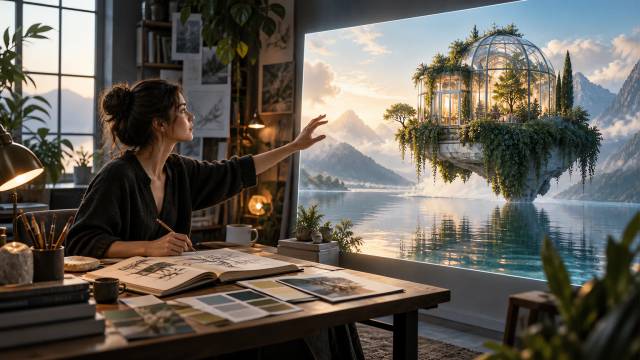
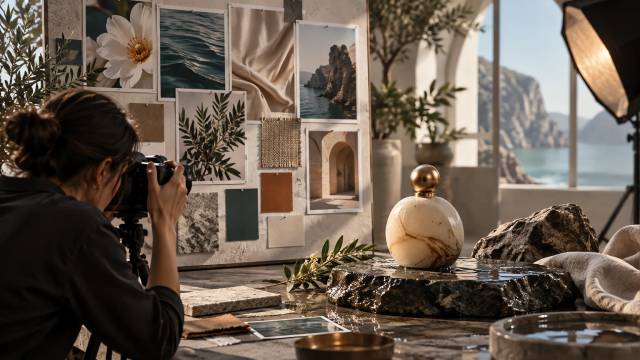
Image to Image with References
Upload reference images and combine them in one generation: put your product into a new scene, transfer a style, or mix subjects from multiple photos into a single shot.
Photo Editing and Inpainting
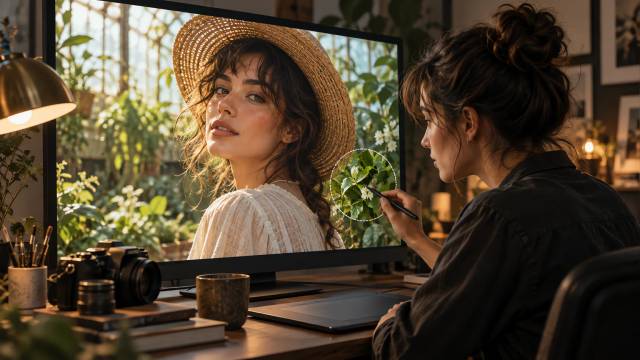
Upload a photo and describe the change—a new background, a removed object, a different color. Mask a region and GPT Image 2.5 edits only that area while keeping the rest of the photo intact.
Crisp On-Image Text
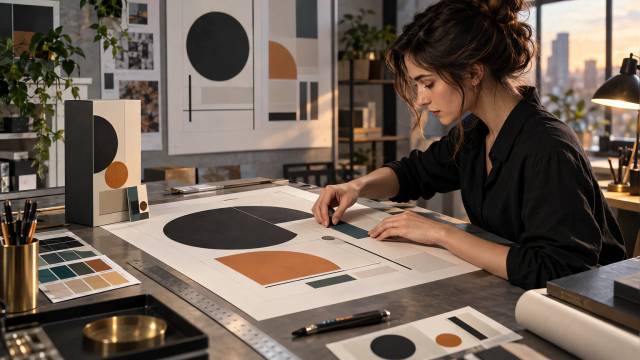
Create posters, ads, labels, and UI mockups with readable, accurately spelled text—the GPT Image family renders words inside images far more reliably than typical image models.
Transparent Background Exports
Generate images with transparent backgrounds and export as PNG or WebP—ready for product shots, thumbnails, stickers, and design layers.
Why Use GPT Image 2.5 on AI Effect
OpenAI's latest image model on a flexible generation workflow—free trial credits, pay as you go, no subscription.

OpenAI's Latest Image Model
GPT Image 2.5 is the successor to GPT Image 2, released by OpenAI in September 2026. It is their most capable model for both image generation and image editing.
Built for Precise Editing
The flagship GPT Image 2.5 variant is tuned for workflows where editing precision matters most—masked edits keep surrounding pixels intact while only the selected region changes.
Sizes Up to 4K
Choose square (1024×1024), landscape (1536×1024), portrait (1024×1536), or let the model pick automatically. Custom dimensions are supported too, with total pixels up to 4K.
New xhigh and max Quality Tiers
Beyond the low/medium/high levels of earlier GPT Image models, GPT Image 2.5 adds xhigh and max quality for extra detail on posters, print, and close-up product shots.
Multiple References in One Prompt
Combine several reference images in a single generation to keep subjects, styles, and layouts consistent across your visuals.
No Subscription, Pay As You Go
Buy credits only when you generate. No monthly plan, no long-term commitment.
How to Use GPT Image 2.5 on AI Effect
Describe Your Image or Upload a Photo
Write a prompt covering the subject, scene, style, and any text you want inside the image—or upload the photo or references you want to work with.
Pick a Size and Generate
Choose square, portrait, or landscape output (or let the model decide), then start the generation. Detailed prompts may take up to a couple of minutes.
Review and Download
Check the result, refine your prompt or references if needed, and download the final image as PNG for social media, ads, or your site.
FAQ
GPT Image 2.5 is OpenAI's latest AI image model, released on September 8, 2026 as the successor to GPT Image 2. It generates images from text and edits existing photos, and it is OpenAI's most capable model for both generation and editing.
OpenAI ships GPT Image 2.5 in two variants: Sunburst, the flagship tuned for maximum quality and precise editing, and Flare, the faster option for high-quality everyday image generation. Both support text-to-image and image editing with the same quality tiers and sizes.
GPT Image 2.5 adds new xhigh and max quality tiers (earlier GPT Image models top out at high), custom output dimensions with total pixels up to 4K, and stronger editing precision. API pricing stays the same as GPT Image 2.
Yes. You can start with free trial credits on AI Effect, then continue with pay-as-you-go credits. No subscription required.
Yes. Upload a photo and describe the change in natural language—a new background, an object added or removed, a different style. You can also mask a specific region so only that area is edited while the rest of the photo stays untouched.
Yes. You can attach multiple reference images to a single generation—combine a product from one photo with a scene from another, or transfer a style across images.
Yes. The GPT Image family is among the strongest image models at rendering readable, accurately spelled text—posters, labels, and mockups come out clean. Very long or dense text layouts may occasionally need a retry.
Square (1024×1024), landscape (1536×1024), portrait (1024×1536), or automatic sizing based on your prompt. Custom dimensions are also supported, with a total pixel budget up to 4K.
Yes. You can generate images with transparent backgrounds and export them as PNG or WebP—handy for product shots, stickers, thumbnails, and design layers.
Most images are ready within a couple of minutes. Highly detailed prompts and the highest quality tiers can take longer—you can keep working while your generations run.
No. AI Effect is pay as you go—generate with credits only when you need to. Free trial credits are included when you sign up.
Social media posts, ads and marketing visuals, posters and covers with readable text, product shots with clean or transparent backgrounds, photo retouching and inpainting, labels and packaging concepts, UI mockups, and web content.
All-in-One AI Creator for Images & Videos
Create images and videos from text, images, or clips with leading AI models. No subscription — just pay as you go with credits that never expire.
 GPT Image 2.6GPT Image 2.5GPT Image 2.0
 Nano Banana 2.1Nano Banana 2Nano Banana 2 Lite
 Nano Banana Pro
 Veo 3.1Gemini Omni Flash
 Seedance 2.5Seedance 2.0Seedance 2.0 Mini
 Seedream 5 LiteSeedream 5 Pro
 Grok Imagine 2.0Grok Imagine 1.5
 Qwen2Qwen3Wan 2.7Wan 2.7 Pro
 Hailuo 2.3Minimax H3
 Kling 4.0Kling 3.0Kling O3
 Happyhorse 1.0Happyhorse 1.1
 Midjourney V8.2Midjourney V8.1Midjourney V7
 Pixverse v6
 Flux 2 ProFlux 3 VideoFlux 3 Image
 Muse Video
 Mai Image 2.6
Start Creating with GPT Image 2.5
Generate images with OpenAI's latest model: text-to-image, reference-based editing, inpainting, crisp on-image text, and sizes up to 4K. Try GPT Image 2.5 free—no subscription, pay as you go.
