
Muse Video AI Generator: Meta’s Video Model with Native Sound
Create 10-second videos with sound using Muse Video, the first video generation model from Meta Superintelligence Labs. Start from a text prompt or up to 9 reference images, pick an aspect ratio, and get a 720p MP4 with audio generated together with the picture. 12 credits per video, no subscription.
Three Ways to Create with Muse Video
Write a prompt, bring one photo, or combine several images. Every result is a 10-second 720p clip with sound.
Text to Video
Describe the scene, the action, the camera move, and the sound you want. Muse Video turns your prompt into a 10-second clip with matching audio, in 16:9 by default or any of 7 aspect ratios.


Photo to Video
Upload a photo of a person, pet, product, or place and describe what should happen. Muse Video uses it as a visual guide for the subject and style of your clip.
Multi-Image Reference
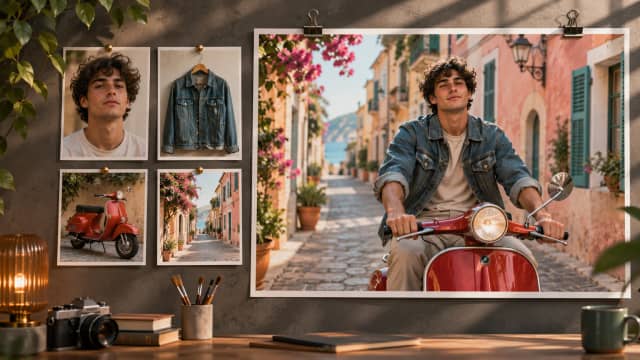
Add up to 9 reference images (11 MB in total) to combine characters, outfits, products, and backgrounds in one scene. With Auto ratio, the video follows the framing of your references.
Why Use Muse Video on AIEffect

Meta’s First Video Model
Muse Video comes from Meta Superintelligence Labs and shares its foundation with Muse Image. Meta built it for strong prompt following, visual quality, and smooth frame-to-frame consistency.
Sound Built In
Every clip comes with audio generated together with the video: ambience, music, and effects. Describe the sound in your prompt. There is nothing to switch on.
Up to 9 Reference Images
Guide one video with several images at once, so the people, products, and places you care about show up in the scene.
7 Aspect Ratios
Choose 16:9 for YouTube, 9:16 for TikTok, Reels, and Shorts, 1:1 for feeds, or 4:3, 3:4, 3:2, and 2:3. Or leave it on Auto.
One Simple Price
Each video is 10 seconds at 720p and costs 12 credits, whether you start from text or images. No settings to compare, no surprise costs.
No Subscription, Pay As You Go
Buy credits and pay only for what you generate. No monthly plan and no waitlist.
How to Make a Muse Video
Choose Muse Video
Open the AI video generator and pick Muse Video. Write your prompt, and add up to 9 reference images if you want.
Click Generate
Pick an aspect ratio or keep Auto, then click Generate. Each video costs 12 credits.
Download Your Video
Generation usually takes a few minutes. Preview the clip with sound, download the MP4, or adjust your prompt and try again.
FAQ
Muse Video is the first video generation model from Meta Superintelligence Labs, announced on July 7, 2026 together with Muse Image. It creates short videos with native audio from text and reference images.
Each generation is about 10 seconds long. The length is fixed, so there is no duration to choose.
Videos are generated in 720p. 1080p and 4K are not available for this model.
Yes. Audio is always included and is generated together with the picture. You can describe the sound you want in your prompt. Meta notes that precise audio-video sync is still improving, so exact lip sync is not guaranteed.
Yes. You can add up to 9 reference images, with a combined size of up to 11 MB. The images guide the subject and style. They are not used as an exact first frame.
16:9, 9:16, 1:1, 4:3, 3:4, 3:2, and 2:3. With Auto, text-only videos use 16:9 and image-based videos follow the framing of your references.
No. Muse Video works from text and reference images only. For start and end frames or video and audio references, try Kling 4.0 or Seedance on AIEffect.
12 credits per video, for both text-to-video and image-based generation.
Usually a few minutes. Keep the page open or come back later and find the result in your history.
Short social clips, quick concept and mood videos, animating product or character images, and testing ideas cheaply before moving to a longer or higher-resolution model.
All-in-One AI Creator for Images & Videos
Create images and videos from text, images, or clips with leading AI models. No subscription — just pay as you go with credits that never expire.
 GPT Image 2.6GPT Image 2.5GPT Image 2.0
 Nano Banana 2.1Nano Banana 2Nano Banana 2 Lite
 Nano Banana Pro
 Veo 3.1Gemini Omni Flash
 Seedance 2.5Seedance 2.0Seedance 2.0 Mini
 Seedream 5 LiteSeedream 5 Pro
 Grok Imagine 2.0Grok Imagine 1.5
 Qwen2Qwen3Wan 2.7Wan 2.7 Pro
 Hailuo 2.3Minimax H3
 Kling 4.0Kling 3.0Kling O3
 Happyhorse 1.0Happyhorse 1.1
 Midjourney V8.2Midjourney V8.1Midjourney V7
 Pixverse v6
 Flux 2 ProFlux 3 VideoFlux 3 Image
 Muse Video
 Mai Image 2.6
Make Videos with Sound Using Muse Video
Text or up to 9 reference images, 10 seconds, 720p, native audio, 7 aspect ratios. 12 credits per video, no subscription.